i_Trend_004
Download script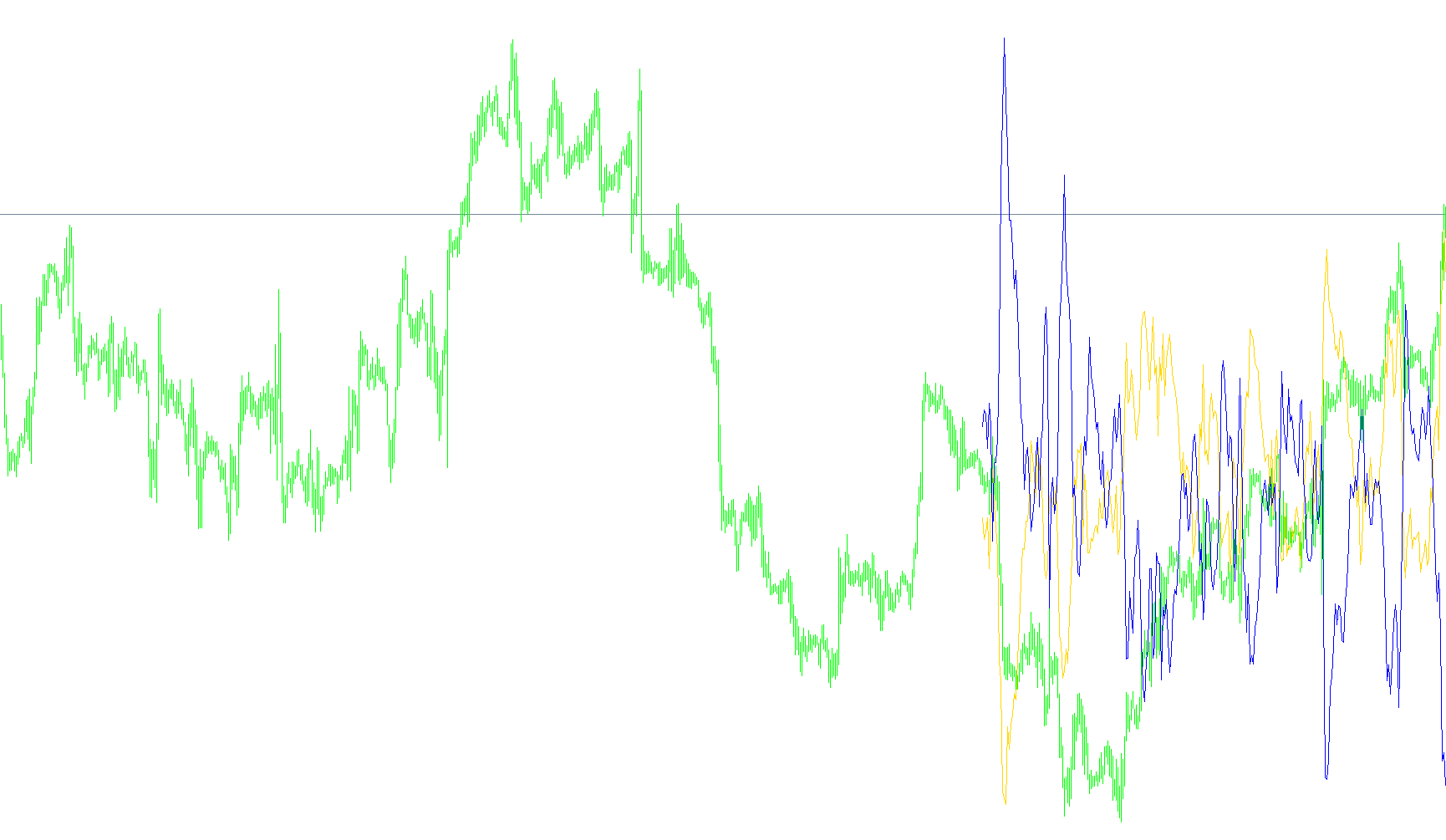
The iTrend script is a custom technical analysis tool designed to provide traders with a visual representation of market momentum and trend strength. By analyzing historical price data, it filters out "market noise" to help identify whether the prevailing direction is bullish (upward), bearish (downward), or neutral.
Here is a breakdown of the logic used by this script:
Core Functional Mechanics
The script operates by calculating two distinct sets of data simultaneously to create a comprehensive view of price movement:
- Trend Deviation Analysis: The tool looks at specific price points (such as the closing price, highs, or lows) and compares them against statistical "Bands." By measuring how far the current price sits away from these established bands, the script can determine if the market is overextended or moving strongly in a particular direction.
- Power Momentum Tracking: The script also calculates "Bullish" and "Bearish" power. It looks at price fluctuations over a set period to gauge the intensity of buyers versus sellers. This helps the trader see not just where the price is going, but how much force is behind the move.
Key Components of the Logic
To provide an accurate reading, the script utilizes several customizable variables that dictate its behavior:
- Price Selection: You can choose which specific data points the script monitors. For example, it can focus on "Close" prices (the final price of a candle), "High/Low" prices (the total range of price movement), or weighted averages.
- Period Sensitivity: The script uses two different timeframes for its calculations—one for the general trend bands and another for the power momentum. Adjusting these allows you to switch between seeing short-term "scalping" signals or long-term "swing" trends.
- Deviation & Mode: Users can define how sensitive the indicator is to price fluctuations (Deviation) and which specific band type (Main, High, or Low) it should prioritize as the primary reference point for the trend.
Visual Output
The results are displayed in a separate window from the main price chart. This ensures that the technical data does not clutter the visual space of the candles. The script generates two distinct lines:
- One line represents the calculated Trend Deviation, showing the distance from the band.
- The other line represents the Combined Power, reflecting the net strength of the market movement.
By observing these two lines, a trader can identify areas where the trend is weakening or gaining strength, providing a clearer picture of the market's underlying dynamics than price action alone might reveal.
//+------------------------------------------------------------------+
//|                                                       iTrend.mq4 |
//|                      Copyright © 2004, MetaQuotes Software Corp. |
//|                                        http://www.metaquotes.net |
//+------------------------------------------------------------------+
#property copyright "Copyright © 2004, MetaQuotes Software Corp."
#property link      "http://www.metaquotes.net"

#property indicator_separate_window
#property indicator_buffers 2
#property indicator_color1 LimeGreen
#property indicator_color2 Red
//---- input parameters
extern int Bands_Mode_0_2=0;  // =0-2 MODE_MAIN, MODE_LOW, MODE_HIGH
extern int Power_Price_0_6=0; // =0-6 PRICE_CLOSE,PRICE_OPEN,PRICE_HIGH,PRICE_LOW,PRICE_MEDIAN,PRICE_TYPICAL,PRICE_WEIGHTED
extern int Price_Type_0_3=0;  // =0-3 PRICE_CLOSE,PRICE_OPEN,PRICE_HIGH,PRICE_LOW
extern int Bands_Period=20;
extern int Bands_Deviation=2;
extern int Power_Period=13;
extern int CountBars=300;
//---- buffers
double value[];
double value2[];
//+------------------------------------------------------------------+
//| Custom indicator initialization function                         |
//+------------------------------------------------------------------+
int init()
  {
//   string short_name;
//---- indicator line
   IndicatorBuffers(2);
   SetIndexStyle(0,DRAW_LINE);
   SetIndexStyle(1,DRAW_LINE);
   SetIndexBuffer(0,value);
   SetIndexBuffer(1,value2);
//----

//----
   return(0);
  }
//+------------------------------------------------------------------+
//| Trend                                                         |
//+------------------------------------------------------------------+
int start()
  {
   SetIndexDrawBegin(0,Bars-CountBars+Bands_Period+1);
   SetIndexDrawBegin(1,Bars-CountBars+Bands_Period+1);
   int i,CurrentBar,Bands_Mode,counted_bars=IndicatorCounted();
   double Power_Price,CurrentPrice;
//----
   if(Bars<=Bands_Period) return(0);
//---- initial zero
   if(counted_bars<Bands_Period)
   {
      for(i=1;i<=Bands_Period;i++) value[Bars-i]=0.0;
      for(i=1;i<=Bands_Period;i++) value2[Bars-i]=0.0;
   }
//----
   i=CountBars-Bands_Period-1;
//   if(counted_bars>=Bands_Period) i=Bars-counted_bars-1;


if (Bands_Mode_0_2==1) Bands_Mode=MODE_LOW;
if (Bands_Mode_0_2==2) Bands_Mode=MODE_HIGH;
if (Bands_Mode_0_2==0) Bands_Mode=MODE_MAIN;

if (Power_Price_0_6==1) Power_Price=PRICE_OPEN;
if (Power_Price_0_6==2) Power_Price=PRICE_HIGH;
if (Power_Price_0_6==3) Power_Price=PRICE_LOW;
if (Power_Price_0_6==4) Power_Price=PRICE_MEDIAN;
if (Power_Price_0_6==5) Power_Price=PRICE_TYPICAL;
if (Power_Price_0_6==6) Power_Price=PRICE_WEIGHTED;
if (Power_Price_0_6==0) Power_Price=PRICE_CLOSE;

for (i=CountBars-1; i>=0; i--)
{
  if (Price_Type_0_3==1) CurrentPrice=Open[i];

  if (Price_Type_0_3==2) CurrentPrice=High[i];

  if (Price_Type_0_3==3) CurrentPrice=Low[i];
  if (Price_Type_0_3==0) CurrentPrice=Close[i];

  value[i]=CurrentPrice-iBands(NULL,0,Bands_Period,Bands_Deviation,0,Bands_Mode,Power_Price,i);
  value2[i]=-(iBearsPower(NULL,0,Power_Period,Power_Price,i)+iBullsPower(NULL,0,Power_Period,Power_Price,i));

}


   return(0);
  }
//+------------------------------------------------------------------+
Comments