FractalChannel_v1_v1
Download script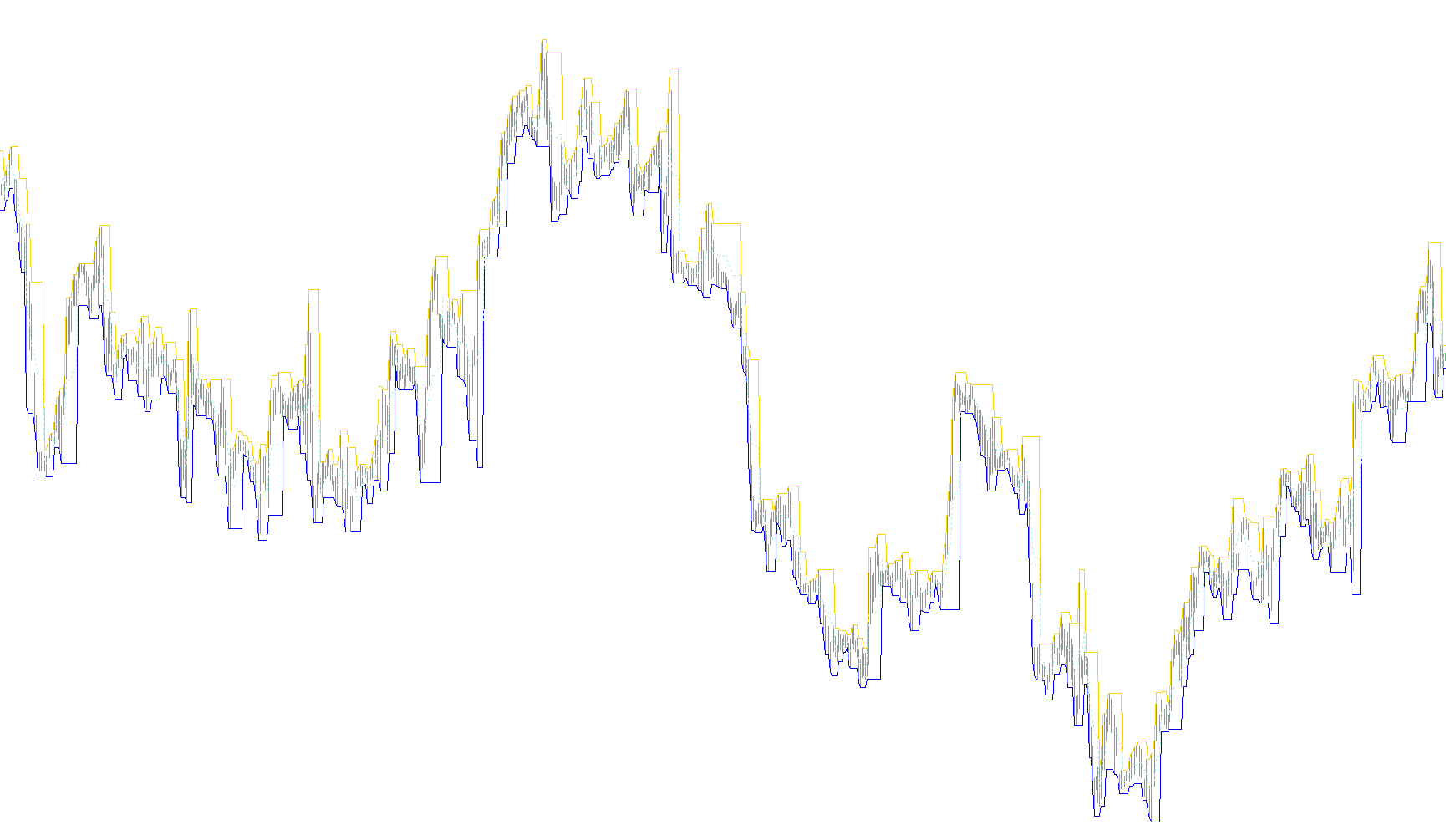
This indicator is designed to provide visual structure to your trading charts by identifying and plotting dynamic price channels based on "Fractal" price action. Instead of using simple moving averages or fixed trendlines, it analyzes the relationship between high and low price points to create a three-layered visual framework.
Core Logic and Functionality
1. Fractal Peak and Valley Identification The primary engine of this script works by scanning historical price data to identify significant structural "peaks" (highs) and "valleys" (lows). It uses a customizable sensitivity setting (ChannelType) to determine how strict these identifications should be:
- Type 1: Identifies the most immediate local fluctuations.
- Type 2: Looks deeper into the price history to find more prominent structural points.
- Type 3: Analyzes a wider range of data to identify major, long-term structural turning points.
2. Dynamic Range Calculation Once the script identifies these fractal peaks and valleys, it calculates the total "distance" or volatility between the highest point (the ceiling) and the lowest point (the floor). This creates a dynamic boundary that expands or contracts as the market's volatility changes.
3. Multi-Layered Channel Visualization The tool then projects three distinct lines onto your chart simultaneously:
- Upper Channel: Represents the adjusted resistance level.
- Lower Channel: Represents the adjusted support level.
- Middle Channel: Automatically calculates the exact midpoint between the upper and lower boundaries, providing a clear "equilibrium" price point.
4. Customization Options The logic includes several user-friendly parameters to tailor the visual output:
- Margins: Allows you to adjust how "wide" or "narrow" the channels appear relative to the price extremes.
- OpenClose Setting: This allows the user to choose whether the indicator should calculate its boundaries based on the actual high/low wicks of the candles or the body of the candles (the open/close prices).
Summary for Traders
Essentially, this script acts as a visual map of market liquidity and structure. By identifying significant fractal turning points, it draws a "corridor" that moves with the market. The Upper Channel highlights potential overhead resistance, the Lower Channel highlights support, and the Middle Channel serves as a neutral zone, helping you visualize the current price corridor more clearly.
/*-----------------------------+
|			       |
| Shared by www.Aptrafx.com    |
|			       |
+------------------------------*/

//+------------------------------------------------------------------+
//|                                            FractalChannel_v1.mq4 |
//|                           Copyright © 2005, TrendLaboratory Ltd. |
//|                                       E-mail: igorad2004@list.ru |
//+------------------------------------------------------------------+
#property copyright "Copyright © 2005, TrendLaboratory Ltd."
#property link      "E-mail: igorad2004@list.ru"

#property indicator_chart_window
#property indicator_buffers 3
#property indicator_color1 DodgerBlue
#property indicator_color2 DodgerBlue
#property indicator_color3 DodgerBlue
//---- input parameters
extern int ChannelType=1;
extern double Margins=0;
extern double Advance=0;
extern int OpenClose=0;
//---- buffers
double UpBuffer[];
double DnBuffer[];
double MdBuffer[];
//+------------------------------------------------------------------+
//| Custom indicator initialization function                         |
//+------------------------------------------------------------------+
int init()
  {
   string short_name;
//---- indicator line
   SetIndexStyle(0,DRAW_LINE);
   SetIndexStyle(1,DRAW_LINE);
   SetIndexStyle(2,DRAW_LINE,2);
   SetIndexBuffer(0,UpBuffer);
   SetIndexBuffer(1,DnBuffer);
   SetIndexBuffer(2,MdBuffer);
//---- name for DataWindow and indicator subwindow label
   short_name="Fractal Channel("+ChannelType+")";
   IndicatorShortName(short_name);
   SetIndexLabel(0,"Up Channel");
   SetIndexLabel(1,"Down Channel");
   SetIndexLabel(2,"Middle Channel");
//----
   SetIndexDrawBegin(0,2*ChannelType);
   SetIndexDrawBegin(1,2*ChannelType);
   SetIndexDrawBegin(2,2*ChannelType);
//----
   return(0);
  }
//+------------------------------------------------------------------+
//| FractalChannel_v1                                                         |
//+------------------------------------------------------------------+
int start()
{
int  	   shift;
double   v1,v2,smax,smin,
			High0,High1,High2,High3,High4,High5,High6,
			Low0,Low1,Low2,Low3,Low4,Low5,Low6;


for (shift=Bars-1-2*ChannelType;shift>=0;shift--)
	{
	v1=-1;
	v2=-1;

	High0=High[shift];
	High1=High[shift+1];
	High2=High[shift+2];
	High3=High[shift+3];
	High4=High[shift+4];
	High5=High[shift+5];
	High6=High[shift+6];

	Low0=Low[shift];
	Low1=Low[shift+1];
	Low2=Low[shift+2];
	Low3=Low[shift+3];
	Low4=Low[shift+4];
	Low5=Low[shift+5];
	Low6=Low[shift+6];

	if (OpenClose>0)
	{
	High0=MathMax(Close[shift],Open[shift]);
	High1=MathMax(Close[shift+1],Open[shift+1]);
	High2=MathMax(Close[shift+2],Open[shift+2]);
	High3=MathMax(Close[shift+3],Open[shift+3]);
	High4=MathMax(Close[shift+4],Open[shift+4]);
	High5=MathMax(Close[shift+5],Open[shift+5]);
	High6=MathMax(Close[shift+6],Open[shift+6]);

	Low0=MathMin(Close[shift],Open[shift]);
	Low1=MathMin(Close[shift+1],Open[shift+1]);
	Low2=MathMin(Close[shift+2],Open[shift+2]);
	Low3=MathMin(Close[shift+3],Open[shift+3]);
	Low4=MathMin(Close[shift+4],Open[shift+4]);
	Low5=MathMin(Close[shift+5],Open[shift+5]);
	Low6=MathMin(Close[shift+6],Open[shift+6]);
	}


	if (ChannelType==1)
	{
	if (High2<=High1 && High0<High1) v1=High1;
	if (Low2>=Low1 && Low0>Low1) v2=Low1;
	}

	if (ChannelType==2)
	{
	if (High4<=High2 && High3<=High2 && High0<High2 && High1<High2)
	v1=High2;
	if (Low4>=Low2 && Low3>=Low2 && Low0>Low2 && Low1>Low2)
	v2=Low2;
	}

	if (ChannelType==3)
	{
	if (High6<=High3 && High5<=High3 && High4<=High3 &&
	High0<High3 && High1<High3 && High2<High3)
	v1=High3;
	if (Low6>=Low3 && Low5>=Low3 && Low4>=Low3 &&
	Low0>Low3 && Low1>Low3 && Low2>Low3)
	v2=Low3;
	}

	if ( v1>0 ) smax=v1;
	if (High0>smax) smax=High0;

	if ( v2>0 ) smin=v2;
	if (Low0<smin) smin=Low0;

	if (shift==Bars-1-2*ChannelType) {smin=Low0;smax=High0;}

	UpBuffer[shift]=smax-(smax-smin)*Margins;
	DnBuffer[shift]=smin+(smax-smin)*Margins;
	MdBuffer[shift]=(UpBuffer[shift]+DnBuffer[shift])/2;
	}
return(0);
}


//+------------------------------------------------------------------+
Comments