Dynamic_trend_cleaned_up
Download script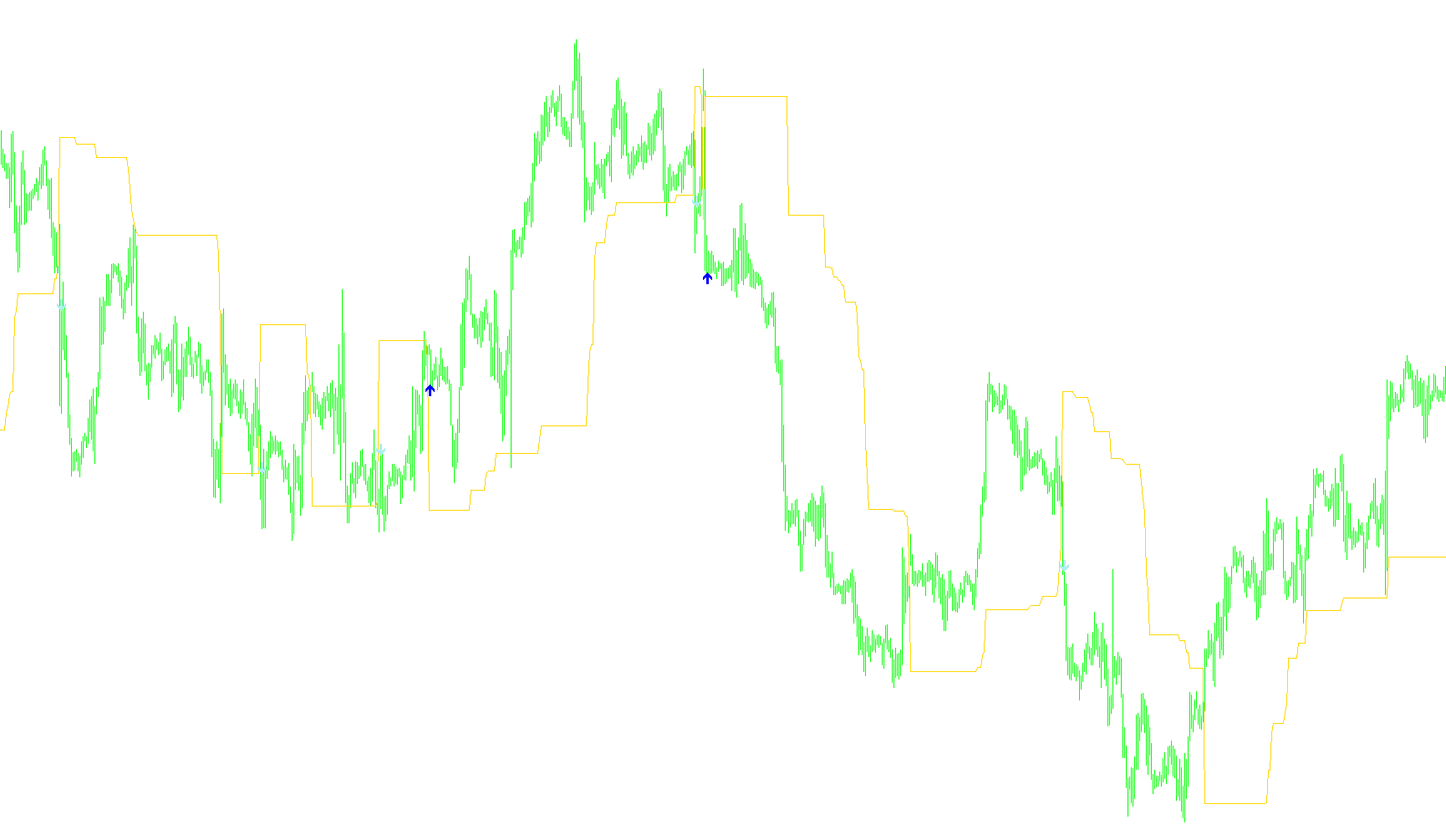
This tool is designed to help traders visualize market trends and identify specific entry points by monitoring how the price moves in relation to a "dynamic channel." Rather than using static levels, it adapts to the market's momentum to provide clearer signals for potential buying and selling opportunities.
How the Logic Works
The Dynamic Trend Line The core of this script is a moving trend line that shifts automatically based on recent price action. It looks at a specific window of past data (defined by the "MaxPeriod" setting) to determine where the market is currently heading.
- Downward Movement: When the current price drops below the previous trend level, the tool calculates a new upper boundary. It looks for the highest price reached in the recent period and adjusts it downward based on a user-defined percentage.
- Upward Movement: Conversely, if the price rises above the trend line, the tool identifies the lowest point of the recent period and establishes a new lower boundary.
By constantly recalculating these boundaries, the indicator creates a "breathing" channel that follows the market's path, helping to filter out minor market noise while highlighting significant shifts in direction.
Signal Generation Beyond just drawing the trend line, the script is programmed to alert you when the price crosses these dynamic boundaries. It looks for specific "breakout" patterns:
- Buy Signals: These appear when the price moves from above the dynamic trend line to below it (a downward break). The script identifies these moments and places a visual indicator on the chart to highlight the potential entry.
- Sell Signals: These appear when the price moves from below the dynamic trend line to above it (an upward break). Similar to the buy signals, it marks these points visually to notify you of the trend shift.
Key Customizations
The logic is governed by two main user settings that allow you to tailor the sensitivity of the tool:
- Percent: This defines how much "room" is given within the dynamic channel. Adjusting this changes how tightly or loosely the boundaries follow the price.
- MaxPeriod: This determines how far back the script looks at historical data to calculate the current trend. A larger period focuses on long-term trends, while a smaller period makes the indicator more responsive to short-term price fluctuations.
// +------------------------------------------------------------------+
// | The percentage indicator basis on break                          |
// | of the dynamic price channel                                     |
// | BDPC_Percent.mq4                                                 |
// | Copyright © 2004, OfficeFX Group                                 |
// | http: // officefx.nm.ru                                          |
// +------------------------------------------------------------------+
#property copyright " Copyright © 2004, OfficeFX Group "
#property link " http:// officefx.nm.ru "
//----
#property indicator_chart_window
#property indicator_buffers 3
#property indicator_color1 Red   // BUY signal
#property indicator_color2 Blue  // BUY signal
#property indicator_color3 Green // SELL signal
//----Indicator Buffers--------------------------------------------+
double DynamicLineTrend [];      // Data buffer for dynamic line trend
double BUYSignals [];            // Data buffer for BUY signals
double SELLSignals [];           // Data buffer for SELL signals
//----User defines-------------------------------------------------
extern int Percent=15;           // Percent dynamic channel
extern int MaxPeriod=50;         // Maximal period for calculate trend
 //----Variables----------------------------------------------------+
 int Shift=0;                    // Current bar for calculate trend
//+------------------------------------------------------------------+
//| Custom indicator initialization function                         |
//+------------------------------------------------------------------+
 int init ()
  {
   SetIndexStyle (0, DRAW_LINE);
   SetIndexBuffer(0, DynamicLineTrend);
   //
   SetIndexStyle (1, DRAW_ARROW);
   SetIndexArrow (1,233);
   SetIndexBuffer(1, BUYSignals);
   //
   SetIndexStyle (2, DRAW_ARROW);
   SetIndexArrow (2,234);
   SetIndexBuffer(2, SELLSignals);
   return(0);
  }
//+------------------------------------------------------------------+
//| Custom indicator iteration function                              |
//+------------------------------------------------------------------+
 int start ()
  {
   // Get digits of Symbol
   double point=MarketInfo (Symbol (), MODE_POINT);
   // Set count bars for calculate trend
   int Counted_Bars=IndicatorCounted ()-MaxPeriod;
//----Calculation DynamicLineTrend---------------------------------+
   for( Shift=Counted_Bars; Shift>=0; Shift--)
     {
      // Calculate of maximal period
      if (Close [Shift] <DynamicLineTrend [Shift+1])
        {
         // Calculate Upper trend
         DynamicLineTrend [Shift] =Close [Highest (NULL, 0, MODE_CLOSE, MaxPeriod, Shift+1)]-Percent*point;
        }
      if (Close [Shift]>=DynamicLineTrend [Shift+1])
        {
         // Calculate Down trend
         DynamicLineTrend [Shift] =Close [Lowest (NULL, 0, MODE_CLOSE, MaxPeriod, Shift+1)] +Percent*point;
        }
      // Checkcrosses DynamicLineTrend and Price
      if (Close [Shift+3]> DynamicLineTrend [Shift+2])
         if (Close [Shift+2] <DynamicLineTrend [Shift+3])
            BUYSignals [Shift] =Low [Shift]-10*point;
         else
            BUYSignals [Shift] =0;
      else
         BUYSignals [Shift] =0;
      if (Close [Shift+2] <DynamicLineTrend [Shift+1])
         if (Close [Shift+2]> DynamicLineTrend [Shift+3])
            SELLSignals [Shift] =High [Shift]-10*point;
         else
            SELLSignals [Shift] =0;
      else
         SELLSignals [Shift] =0;
     }
//-----
   return(0);
  }
//+------------------------------------------------------------------+
Comments