MTF_AbsoluteStrength_v1DHs-1
Download script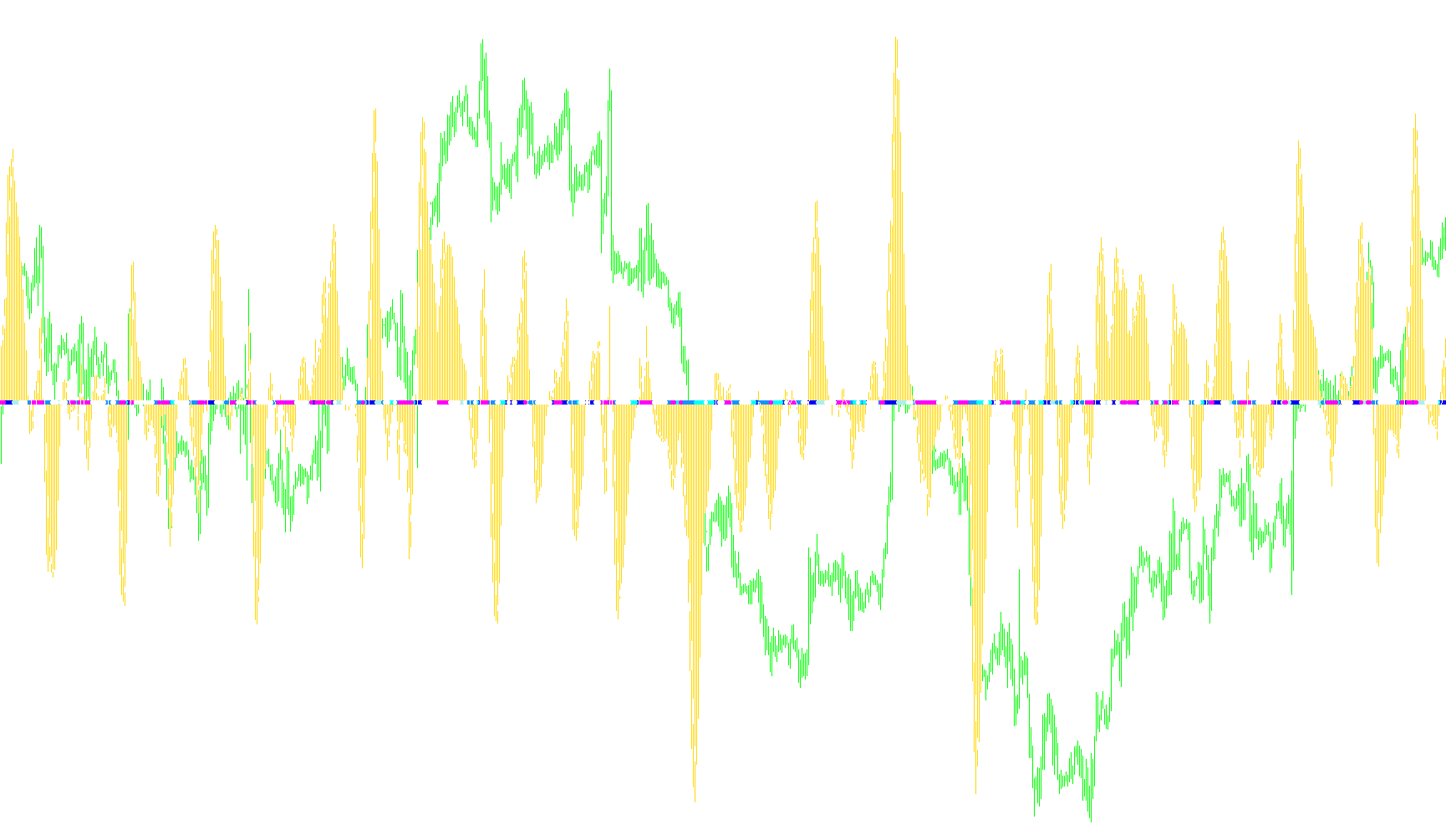
This technical script is designed to analyze and visualize market momentum by measuring the relative strength of "Bulls" (buying pressure) versus "Bears" (selling pressure) across different timeframes. It provides a multi-layered overview of market sentiment, helping traders identify whether a trend is gaining strength, undergoing a correction, or entering a state of equilibrium.
Core Functional Logic
The script operates by pulling data from a primary underlying calculation (Absolute Strength) and processing it through several logic gates to produce specific visual signals. Here is how the logic flows:
1. Multi-Timeframe Analysis
One of the core features of this script is its ability to look at higher timeframes while you are viewing a lower one. It synchronizes data from a user-defined period (e.g., looking at Hourly trends while viewing a 15-minute chart) so that the trader can see the "big picture" context of current price movements.
2. Momentum Comparison
The script continuously compares two primary forces:
- Bull Strength: The momentum of buyers.
- Bear Strength: The momentum of sellers.
By comparing these against their respective "Signal Lines" (which act as moving averages or smoothed targets), the script determines not just who is winning, but how aggressively they are pushing the market.
3. Visual Signal Categories
The script translates complex mathematical comparisons into specific visual markers on the chart:
- Strong Up / Down: These signals appear when one side (Bulls or Bears) is significantly dominant and moving away from its baseline, indicating a high-conviction trend.
- Up / Down Correction: These signals trigger when the dominant side begins to lose momentum or "pull back." It suggests that while the trend is still active, it may be temporarily consolidating or reversing.
- Two Forces On: This identifies a state of conflict where both Bulls and Bears are showing significant strength simultaneously. This usually indicates high volatility or a "tug-of-war" where neither side has secured control.
- No Trade Zone: This is a neutral signal. It appears when the momentum for both sides is weak or insufficient to trigger a clear direction, suggesting a lack of market interest or a flat period.
4. Data Smoothing and Continuity
To ensure the signals are not "noisy" (flickering back and forth rapidly due to minor price ticks), the script applies smoothing techniques. It ensures that even if the underlying timeframe is much larger than the current chart, the data remains continuous and visually consistent, filling in the gaps between higher timeframe bars so the information flows smoothly across the screen.
Summary for the User
Essentially, this tool acts as a "sentiment map." Instead of just showing you where the price is going, it tells you the intensity behind the movement. It helps you distinguish between a powerful trend that is safe to trade and a weakening trend that might be about to exhaust itself, all while keeping the broader market context in view.
//+------------------------------------------------------------------+
//|                    (Diff_Hist)    MTF_AbsoluteStrength_v1DH .mq4 |
//|                           Copyright © 2006, TrendLaboratory Ltd. |
//|            http://finance.groups.yahoo.com/group/TrendLaboratory |
//|                                       E-mail: igorad2004@list.ru |
//|                                       Modified by fxbs and cattus|
//+------------------------------------------------------------------+
#property copyright "Copyright © 2006, TrendLaboratory Ltd."
#property link      "http://finance.groups.yahoo.com/group/TrendLaboratory"

#property indicator_separate_window
#property indicator_buffers   8
#property indicator_color1    DimGray //Histogram
#property indicator_width1    2
#property indicator_color2    Blue //Signal StrongUp Blue
#property indicator_width2    1
#property indicator_color3    DodgerBlue //Signal UpCorrection DodgerBlue
#property indicator_width3    1
#property indicator_color4    Red //Signal StrongDown Red
#property indicator_width4    1
#property indicator_color5    IndianRed //Signal DownCorrection IndianRed
#property indicator_width5    1
#property indicator_color6    Gold //Two forces strong Gold
#property indicator_width6    1
#property indicator_color7    White //Signal No Interest
#property indicator_width7    1
#property indicator_color8    Lime //Line
#property indicator_width8    1
#property indicator_style8    0

//---- input parameters
extern int       TimeFrame=0;
extern int       Mode =  0; // 0-RSI method; 1-Stoch method
extern string    note1 = "Level:1-77;Mode:RSI1;Stoch2;ADX3";
extern int       Length = 10; // Period
extern int       Smooth =  5; // Period of smoothing
extern int       Signal =  5; // Period of Signal Line
extern int       Price  =  0; // Price mode : 0-Close,1-Open,2-High,3-Low,4-Median,5-Typical,6-Weighted
extern int       ModeMA =  3; // Mode of Moving Average: SMA0,EMA1,SmdMA2,LWMA3
extern string    note2 = "Price(OCHLMTF)ModeMa(SMA0,EMA1,SmmMA2,LWMA3";
extern string    note3 = "YellowDots-NoTradeZone,Bulls&BearsDown";

/*************************************************************************
PERIOD_M1   1
PERIOD_M5   5
PERIOD_M15  15
PERIOD_M30  30
PERIOD_H1   60
PERIOD_H4   240
PERIOD_D1   1440
PERIOD_W1   10080
PERIOD_MN1  43200
You must use the numeric value of the timeframe that you want to use
when you set the TimeFrame' value with the indicator inputs.
---------------------------------------
MODE_SMA    0 Simple moving average,
MODE_EMA    1 Exponential moving average,
MODE_SMMA   2 Smoothed moving average,
MODE_LWMA   3 Linear weighted moving average.
You must use the numeric value of the MA Method that you want to use
when you set the 'ma_method' value with the indicator inputs.

**********************************************************/

//---- buffers
double Bulls[];
double Bears[];
double AvgBulls[];
double AvgBears[];

double SmthBulls[];
double SmthBears[];
double SigBulls[];
double SigBears[];

double SmthBears1[];
double SigBears1[];
double SmthBulls1[];
double SigBulls1[];

double SigStrongUp[];
double SigUpCorrection[];
double SigStrongDown[];
double SigDownCorrection[];
double SigTwoForcesOn[];
double SigNoTrade[];


//+------------------------------------------------------------------+
//| Custom indicator initialization function                         |
//+------------------------------------------------------------------+
int init()
  {
//---- indicators
 //  IndicatorBuffers(8);
   SetIndexBuffer(0,SmthBulls);
   SetIndexStyle(0,DRAW_HISTOGRAM);

   SetIndexBuffer(1,SigStrongUp);
   SetIndexStyle(1,DRAW_ARROW);
   SetIndexArrow(1,159);

   SetIndexBuffer(2,SigUpCorrection);
   SetIndexStyle(2,DRAW_ARROW);
   SetIndexArrow(2,159);

   SetIndexBuffer(3,SigStrongDown);
   SetIndexStyle(3,DRAW_ARROW);
   SetIndexArrow(3,159);

   SetIndexBuffer(4,SigDownCorrection);
   SetIndexStyle(4,DRAW_ARROW);
   SetIndexArrow(4,159);

   SetIndexBuffer(5,SigTwoForcesOn);
   SetIndexStyle(5,DRAW_ARROW);
   SetIndexArrow(5,159);

   SetIndexBuffer(6,SigNoTrade);
   SetIndexStyle(6,DRAW_ARROW);
   SetIndexArrow(6,159);

   SetIndexBuffer(7,SigBulls);
   SetIndexStyle(7,DRAW_LINE);


//    SetIndexEmptyValue(4,EMPTY_VALUE);
//---- name for DataWindow and indicator subwindow label
   string short_name="MTF_AbsStrDHs["+TimeFrame+"]"+Mode+","+Length+","+Smooth+","+Signal+","+ModeMA+")";
   IndicatorShortName(short_name);
   //SetIndexLabel(0,"Bulls; tf("+TimeFrame+")");
   SetIndexLabel(1,"StrongUp; tf("+TimeFrame+")");
   SetIndexLabel(2,"UpCorrection; tf("+TimeFrame+")");
   SetIndexLabel(3,"StrongDown; tf("+TimeFrame+")");
   SetIndexLabel(4,"DownCorrection("+TimeFrame+")");
   SetIndexLabel(5,"TwoForcesOn("+TimeFrame+")");
   SetIndexLabel(6,"NoTrade("+TimeFrame+")");
   //SetIndexLabel(7,"Bears("+TimeFrame+")");

//----
   SetIndexDrawBegin(0,Length+Smooth+Signal);
   SetIndexDrawBegin(1,Length+Smooth+Signal);
   SetIndexDrawBegin(2,Length+Smooth+Signal);
   SetIndexDrawBegin(3,Length+Smooth+Signal);
   SetIndexDrawBegin(4,Length+Smooth+Signal);
   SetIndexDrawBegin(5,Length+Smooth+Signal);
   SetIndexDrawBegin(6,Length+Smooth+Signal);
   SetIndexDrawBegin(7,Length+Smooth+Signal);

//---- name for DataWindow and indicator subwindow label
   switch(TimeFrame)
   {
      case 1 : string TimeFrameStr="Period_M1"; break;
      case 5 : TimeFrameStr="Period_M5"; break;
      case 15 : TimeFrameStr="Period_M15"; break;
      case 30 : TimeFrameStr="Period_M30"; break;
      case 60 : TimeFrameStr="Period_H1"; break;
      case 240 : TimeFrameStr="Period_H4"; break;
      case 1440 : TimeFrameStr="Period_D1"; break;
      case 10080 : TimeFrameStr="Period_W1"; break;
      case 43200 : TimeFrameStr="Period_MN1"; break;
      default : TimeFrameStr="Current Timeframe";
  }
   return(0);
  }
//+------------------------------------------------------------------+
//| MTF                                                              |
//+------------------------------------------------------------------+
int start()
  {
   datetime TimeArray[];
   int    i,limit,y=0,counted_bars=IndicatorCounted();

// Plot defined time frame on to current time frame
   ArrayCopySeries(TimeArray,MODE_TIME,Symbol(),TimeFrame);

   limit=Bars-counted_bars+TimeFrame/Period();
   for(i=0,y=0;i<limit;i++)
   {
   if (Time[i]<TimeArray[y]) y++;

/***********************************************************
   Add your main indicator loop below.  You can reference an existing
      indicator with its iName  or iCustom.
   Rule 1:  Add extern inputs above for all neccesary values
   Rule 2:  Use 'TimeFrame' for the indicator time frame
   Rule 3:  Use 'y' for your indicator's shift value
 **********************************************************/

   SmthBulls[i]=iCustom(NULL,TimeFrame,"AbsoluteStrength_v1DH",Mode,Length,Smooth,Signal,Price,ModeMA,0,y);
   SmthBears[i]=iCustom(NULL,TimeFrame,"AbsoluteStrength_v1DH",Mode,Length,Smooth,Signal,Price,ModeMA,1,y);
   SigBulls[i]=iCustom(NULL,TimeFrame,"AbsoluteStrength_v1DH",Mode,Length,Smooth,Signal,Price,ModeMA,2,y);
   SigBears[i]=iCustom(NULL,TimeFrame,"AbsoluteStrength_v1DH",Mode,Length,Smooth,Signal,Price,ModeMA,3,y);

double SmthBulls1   =iCustom(NULL,TimeFrame,"AbsoluteStrength_v1.1",  Mode, Length,Smooth, Signal, Price, ModeMA,0,0,0,y);
double SmthBears1   =iCustom(NULL,TimeFrame,"AbsoluteStrength_v1.1",  Mode, Length,Smooth, Signal, Price, ModeMA,0,0,1,y);
double SigBulls1    =iCustom(NULL,TimeFrame,"AbsoluteStrength_v1.1",  Mode, Length,Smooth, Signal, Price, ModeMA,0,0,2,y);
double SigBears1    =iCustom(NULL,TimeFrame,"AbsoluteStrength_v1.1",  Mode, Length,Smooth, Signal, Price, ModeMA,0,0,3,y);

      SigStrongUp[i] = EMPTY_VALUE;
      SigUpCorrection[i] = EMPTY_VALUE;
      SigStrongDown[i] = EMPTY_VALUE;
      SigDownCorrection[i] = EMPTY_VALUE;
      SigTwoForcesOn[i] = EMPTY_VALUE;
      SigNoTrade[i] = EMPTY_VALUE;

      if(SmthBulls1>=SmthBears1 && SmthBulls1>=SigBulls1 && SmthBears1<SigBears1) SigStrongUp[i] = 0;//Blue
      if(SmthBulls1>=SmthBears1 && SmthBulls1<SigBulls1 && SmthBears1>=SigBears1) SigUpCorrection[i] = 0;//DodgerBlue

      if(SmthBulls1<SmthBears1 && SmthBulls1<SigBulls1 && SmthBears1>=SigBears1) SigStrongDown[i] = 0;//Red
      if(SmthBulls1<SmthBears1 && SmthBulls1>=SigBulls1 && SmthBears1<SigBears1) SigDownCorrection[i] = 0;//IndianRed

      if(SmthBears1>SigBears1 && SmthBulls1>SigBulls1) SigTwoForcesOn[i] = 0;//Gold
      if(SmthBulls1<SigBulls1 && SmthBears1<SigBears1) SigNoTrade[i] = 0;//White

   }


//
    //----  Refresh buffers ++++++++++++++++++++ upgrade by Raff
     int TimeFrame;   if (TimeFrame>Period()) {
     int PerINT=TimeFrame/Period()+1;
     datetime TimeArr[]; ArrayResize(TimeArr,PerINT);
     ArrayCopySeries(TimeArr,MODE_TIME,Symbol(),Period());
     for(i=0;i<PerINT+1;i++) {if (TimeArr[i]>=TimeArray[0]) {
 /********************************************************
    Refresh buffers:         buffer[i] = buffer[0];
 ********************************************************/

      SmthBulls[i] = SmthBulls[0];
      SmthBears[i] = SmthBears[0];
      SigBulls[i] = SigBulls[0];
      SigBears[i] = SigBears[0];
      SigStrongUp[i] = SigStrongUp[0];
      SigUpCorrection[i] = SigUpCorrection[0];
      SigStrongDown[i] = SigStrongDown[0];
      SigDownCorrection[i] = SigDownCorrection[0];
      SigTwoForcesOn[i] = SigTwoForcesOn[0];
      SigNoTrade[i]= SigNoTrade[0];

 //--
   } } }
//+++++++++++++++++++++++++++++++++++++++++++++++++++  Raff

   return(0);
  }
//+-----------
Comments