i-GentorLSMA&EMA_v1[1].0
Download script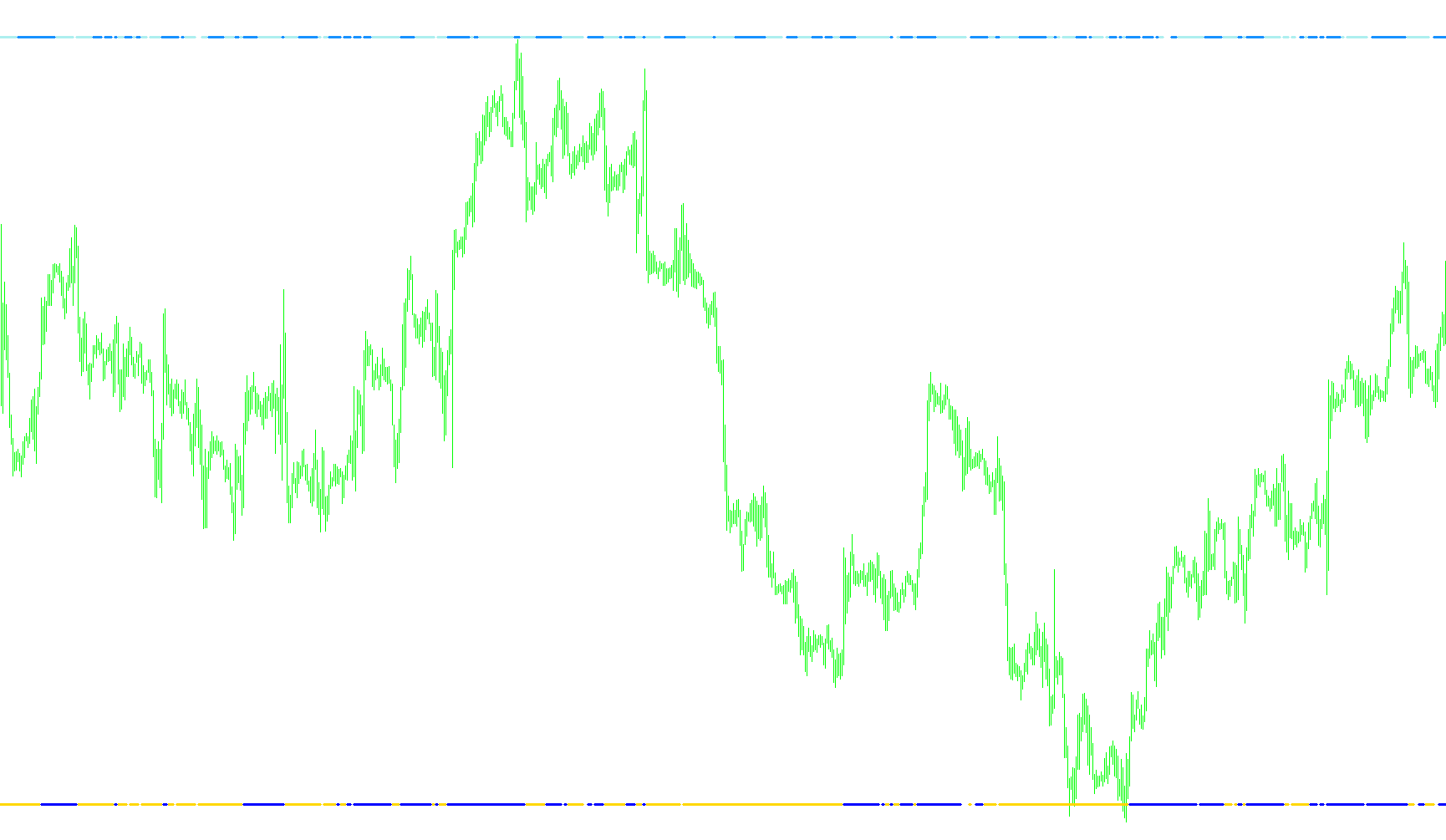
This trading indicator is designed to provide visual feedback on the relationship between current market prices and two specific types of moving averages: the Exponential Moving Average (EMA) and the Linear Weighted Moving Average (LSMA).
Instead of simply plotting these averages as continuous lines, the script acts as a "signal monitor" that highlights when the price is interacting with these technical levels in specific ways. Here is a breakdown of how the logic works:
Core Components
The indicator monitors two distinct mathematical models to help identify trend strength and price position:
- EMA (Exponential Moving Average): This calculation gives more weight to recent price data, making it more responsive to sudden market changes.
- LSMA (Linear Weighted Moving Average): This calculates a weighted average where the most recent prices have the highest impact on the result, providing a "smoothed" view of the current trend.
How the Logic Operates
The script scans each price candle and performs a comparative check between the closing price and these two moving averages. It then visualizes the results in a separate window:
-
EMA Positioning:
- The logic identifies if the market price is currently trading above or below the EMA.
- If the price is higher than the EMA, it marks a specific signal point (represented by a high-line marker).
- If the price falls below the EMA, it marks the corresponding low-line marker.
-
LSMA Positioning:
- Simultaneously, the script performs a more complex calculation to determine the current value of the LSMA based on your chosen timeframe periods.
- It checks if the price is higher or lower than this weighted average.
- Just like the EMA, it generates visual markers (high or low lines) based on whether the price has broken above or below these specific calculated values.
Visual Behavior
Rather than showing you a messy web of lines, the indicator uses a "distance from zero" logic. This means the signals appear as distinct marks at a set distance away from the center line. By looking at these markers, a trader can quickly see:
- Trend Confirmation: When both the EMA and LSMA markers align in the same direction, it suggests stronger momentum.
- Price Action Alerts: When markers switch sides, it indicates that the price has crossed a significant moving average threshold, which often signals a shift in market sentiment or a potential reversal point.
Customization Options
The logic allows you to adjust three primary variables to fit your trading style:
- EMA Period: Determines how many past candles are factored into the Exponential Moving Average.
- LSMA Period: Sets the timeframe for the Linear Weighted Moving Average.
- Distance from Zero: Controls how far away from the center line the visual markers appear, allowing you to clean up the chart layout according to your preference.
/*-----------------------------+
|			       |
| Shared by www.Aptrafx.com    |
|			       |
+------------------------------*/

//+---------------------------------------------------------------------+
//|                                       i-GentorLSMA&EMA_v.1.0.mq4    |
//|                                                 FX Sniper, KimIV    |
//|   2005.08.20 KimIV  v.0.0                                           |
//| Combined in LSMA and EMA                                            |
//|   2005.08.20 KimIV  v.0.2                                           |
//| Synchronized numeration of the versions with i-GentorCCIM_v.0.2.mq4 |
//|   2005.08.21 KimIV  v.1.0                                           |
//| Distance from zero for EMA and LSMA is changable now                |
//+---------------------------------------------------------------------+
#property copyright "FX Sniper, KimIV"
#property link      "http://www.kimiv.ru"

#property indicator_separate_window
#property indicator_buffers 4

#property indicator_color1 Yellow
#property indicator_color2 Blue
#property indicator_color3 Red
#property indicator_color4 Lime

//------- Âíåøíèå ïàðàìåòðû ------------------------------------------
extern int EMAPeriod  = 34;     // ÅÌÀ period
extern int LSMAPeriod = 25;     // LSMA period
extern int FromZero   = 3;      // Distance from zero level

//------- Áóôåðû èíäèêàòîðà ------------------------------------------
double LineHighEMA[];
double LineLowEMA[];
double LSMABuffer1[];
double LSMABuffer2[];

//+------------------------------------------------------------------+
//| Custom indicator initialization function                         |
//+------------------------------------------------------------------+
void init() {
  IndicatorDigits(2);

  SetIndexBuffer(0, LineHighEMA);
  SetIndexLabel (0, "EMA is above price");
  SetIndexStyle (0, DRAW_LINE, STYLE_SOLID, 3);
  SetIndexBuffer(1, LineLowEMA);
  SetIndexLabel (1, "EMA is below price");
  SetIndexStyle (1, DRAW_LINE, STYLE_SOLID, 3);
  SetIndexBuffer(2, LSMABuffer1);
  SetIndexLabel (2, "LSMA is above price");
  SetIndexStyle (2, DRAW_LINE, STYLE_SOLID, 3);
  SetIndexBuffer(3, LSMABuffer2);
  SetIndexLabel (3, "LSMA is below price");
  SetIndexStyle (3, DRAW_LINE, STYLE_SOLID, 3);
  Comment("");
}

//+------------------------------------------------------------------+
//| Custom indicator iteration function                              |
//+------------------------------------------------------------------+
int start() {
  double sum, lengthvar, tmp, wt;
  int i, shift, counted_bars = IndicatorCounted();
  int Draw4HowLong, loopbegin;

  if (counted_bars<0) return;
  if (counted_bars>0) counted_bars--;
  counted_bars = Bars - counted_bars;
  for (shift=0; shift<counted_bars; shift++) {
    LineLowEMA[shift] = -FromZero;
    LineHighEMA[shift] = -FromZero;

    double EmaValue = iMA(NULL, 0, EMAPeriod, 0, MODE_EMA, PRICE_TYPICAL, shift);
    if (Close[shift]>EmaValue) LineHighEMA[shift] = EMPTY_VALUE;
    if (Close[shift]<EmaValue) LineLowEMA[shift] = EMPTY_VALUE;
  }

  Draw4HowLong = Bars-LSMAPeriod - 5;
  loopbegin = Draw4HowLong - LSMAPeriod - 1;

  for(shift=loopbegin; shift>=0; shift--) {
    sum = 0;
    for (i=LSMAPeriod; i>=1; i--) {
      lengthvar = LSMAPeriod + 1;
      lengthvar /= 3;
      tmp = 0;
      tmp = (i - lengthvar) * Close[LSMAPeriod-i+shift];
      sum+=tmp;
    }
    wt = sum * 6 / (LSMAPeriod * (LSMAPeriod + 1));

    LSMABuffer1[shift] = FromZero;
    LSMABuffer2[shift] = FromZero;

    if (wt>Close[shift]) LSMABuffer2[shift] = EMPTY_VALUE;
    if (wt<Close[shift]) LSMABuffer1[shift] = EMPTY_VALUE;
  }
}
//+------------------------------------------------------------------+
Comments