Three Line Break
Download script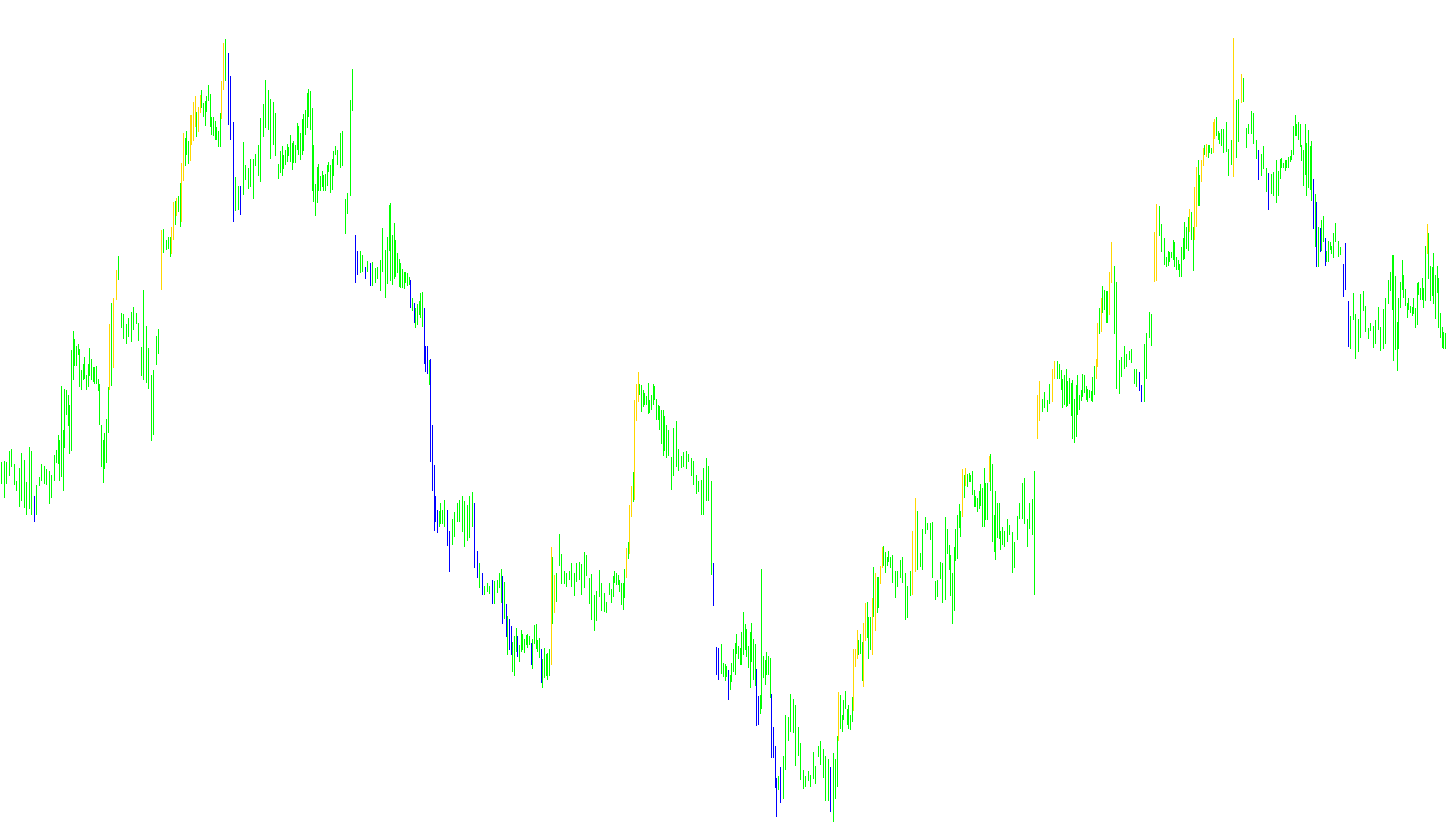
This technical tool is designed to identify and visualize significant shifts in market sentiment by monitoring "breakouts" from established price ranges. Instead of simply following every small movement, the logic focuses on identifying when the price pushes beyond a specific boundary, suggesting a potential change in the prevailing trend.
How the Logic Works
1. Establishing the Price Range (The "Box") The tool maintains a moving window of historical data based on a user-defined period. During this window, it identifies the highest and lowest price points reached. This creates a dynamic "box" or boundary that represents the current active trading zone.
2. Identifying Trend Direction The script distinguishes between upward (bullish) and downward (bearish) movements:
- Bullish Movement: When the market is moving up, the tool tracks the upper boundary of the price range.
- Bearish Movement: When the market is moving down, it focuses on the lower boundary.
3. Detecting the "Break" The core logic monitors every new price close to see if it pierces through these boundaries:
- Trend Reversal (Down): If the price drops below the established bottom of a bullish range, the tool recognizes this as a potential shift to a downward trend.
- Trend Reversal (Up): If the price climbs above the established top of a bearish range, it signals a potential shift to an upward trend.
4. Dynamic Updating Whenever a significant break occurs, the script immediately updates its internal "box." It shifts its focus to the new price level, essentially resetting the boundaries to start tracking the new movement from that point forward. This allows the tool to adapt continuously as the market evolves.
Visual Representation
The results are displayed on your chart using two distinct visual markers (histograms):
- Blue Markers: Represent the high points of the detected price movements.
- Red Markers: Represent the low points of the detected price movements.
By visualizing these extremes, the tool provides a clear picture of where the market is reacting most strongly and helps traders see where significant shifts in momentum are occurring in real-time.
//+------------------------------------------------------------------+
//|                                             Three Line Break.mq4 |
//|                                                     Equipe Forex |
//|                                       http://www.equipeforex.com |
//+------------------------------------------------------------------+
#property copyright "Equipe Forex"
#property link      "http://www.equipeforex.com"

#property indicator_chart_window
#property indicator_buffers 2
#property indicator_color1 Blue
#property indicator_color2 Red
//---- input parameters
extern int       BreakPeriod=5;
//---- buffers
double ExtMapBuffer1[];
double ExtMapBuffer2[];
//+------------------------------------------------------------------+
//| Custom indicator initialization function                         |
//+------------------------------------------------------------------+
int init()
  {
//---- indicators
   SetIndexStyle(0,DRAW_HISTOGRAM);
   SetIndexBuffer(0,ExtMapBuffer1);
   SetIndexStyle(1,DRAW_HISTOGRAM);
   SetIndexBuffer(1,ExtMapBuffer2);
//----
   return(0);
  }
//+------------------------------------------------------------------+
//| Custor indicator deinitialization function                       |
//+------------------------------------------------------------------+
int deinit()
  {
//----

//----
   return(0);
  }
//+------------------------------------------------------------------+
//| Custom indicator iteration function                              |
//+------------------------------------------------------------------+
int start()
  {
   int i, j, CurrentTrend;
   bool CalculateLowHigh = true;
   double Value1, Value2, LowestBox, HighestBox;
   double BoxHigh[], BoxLow[];

   ArrayResize(BoxHigh, BreakPeriod + 2);
   ArrayResize(BoxLow, BreakPeriod + 2);

   ArrayInitialize(BoxHigh, -1000);
   ArrayInitialize(BoxLow, 1000);

   i=Bars-1;

   if (Close[i] < Open[i]) {
      CurrentTrend = -1;
      BoxHigh[BreakPeriod + 1] = Open[i];
      BoxLow[BreakPeriod + 1] = Close[i];
      Value1 = Low[i];
      Value2 = High[i];
   } else {
      CurrentTrend = 1;
      BoxHigh[BreakPeriod + 1] = Close[i];
      BoxLow[BreakPeriod + 1] = Open[i];
      Value1 = High[i];
      Value2 = Low[i];
   }

   ExtMapBuffer1[i] = Value1;
   ExtMapBuffer2[i] = Value2;

   i--;

   while (i>=0) {
      Value1 = 0;
      Value2 = 0;

      if (CalculateLowHigh) {
	      LowestBox = BoxLow[ArrayMinimum(BoxLow)];
	      HighestBox = BoxHigh[ArrayMaximum(BoxHigh)];
	      CalculateLowHigh = false;
      }

      if (((CurrentTrend > 0) && (Close[i] < LowestBox)) ||
	      (CurrentTrend < 0) && (Close[i] < BoxLow[BreakPeriod + 1])) {
         Value1 = Low[i];
	      Value2 = High[i];

	      shiftArrays(BoxLow, BoxHigh);

	      BoxHigh[BreakPeriod + 1] = BoxLow[BreakPeriod + 1];
         BoxLow[BreakPeriod + 1] = Close[i];

         CurrentTrend = -1;
         CalculateLowHigh = true;
      } else if (((CurrentTrend < 0) && (Close[i] > HighestBox)) ||
			       (CurrentTrend > 0) && (Close[i] > BoxHigh[BreakPeriod + 1])) {
         Value1 = High[i];
	      Value2 = Low[i];

	      shiftArrays(BoxLow, BoxHigh);

         BoxLow[BreakPeriod + 1] = BoxHigh[BreakPeriod + 1];
         BoxHigh[BreakPeriod + 1] = Close[i];

         CurrentTrend = 1;
         CalculateLowHigh = true;
      }

      ExtMapBuffer1[i] = Value1;
      ExtMapBuffer2[i] = Value2;
      i--;
  }
//----
   return(0);
  }
//+------------------------------------------------------------------+
//| shift array function                              |
//+------------------------------------------------------------------+
  void shiftArrays(double& array1[], double& array2[]) {
      for (int j = 0; j <= BreakPeriod; j++) {
         array1[j] = array1[j + 1];
		   array2[j] = array2[j + 1];
	  }
  }
//+------------------------------------------------------------------+
Comments