Pivots TimeShift History v1
Download script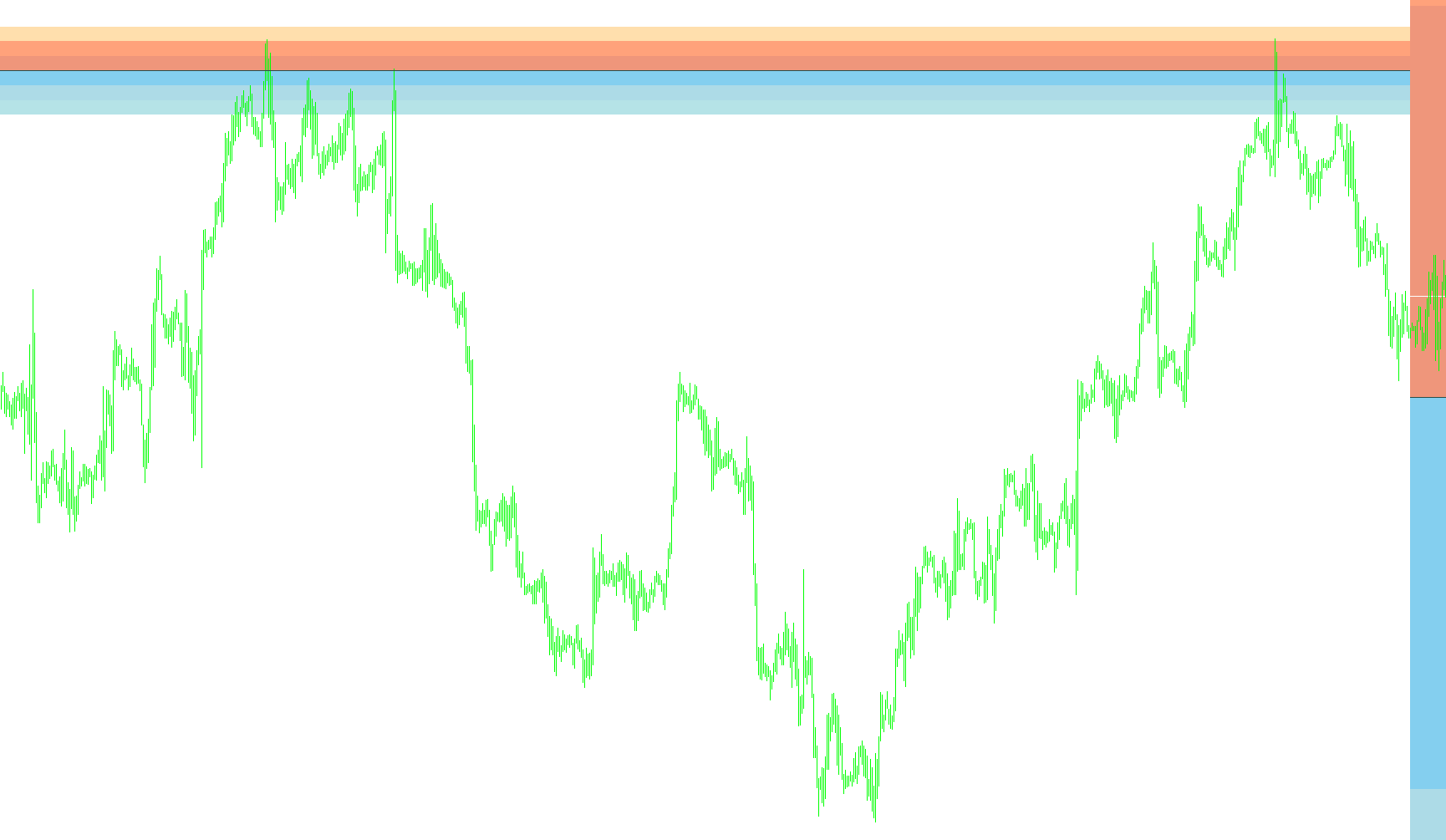
This script is designed to provide traders with a historical visual representation of Pivot Points directly on their trading charts. Unlike standard pivot indicators that only show the current day's levels, this tool calculates and displays the significant support and resistance zones for a specific number of past days (customizable by the user).
Core Functionality
The primary purpose of this script is to map out historical price "turning points" and ranges. It automates the heavy lifting of identifying where the highs, lows, and averages were for previous sessions, allowing you to see how the market behaved in the past and identify recurring zones of interest.
How the Logic Works
To provide these visuals, the script follows a specific three-step logical process:
1. Data Gathering and Time Alignment The script first looks back over a set number of days (defined by the user). It synchronizes the time data to account for different time zones (GMT offsets) and identifies the specific opening and closing points for each day in history. By doing this, it ensures that the calculations remain accurate even if you are viewing different currency pairs or global markets.
2. Range Calculation Once the script identifies the timeframe for a specific past day, it searches for two critical pieces of data:
- The highest price reached during that period.
- The lowest price reached during that period. By subtracting the low from the high, the script determines the "Range" for that specific day. This range becomes the foundation for all subsequent levels.
3. Pivot and Zone Generation Using the Daily Range and the daily closing prices, the script mathematically generates a series of key levels:
- The Pivot Point (PP): The central equilibrium point for the day.
- Resistance Levels (R1, R2, R3): Calculated by adding fractions of the daily range to the Pivot Point, marking where the price faced upward pressure.
- Support Levels (S1, S2, S3): Calculated by subtracting fractions of the daily range from the Pivot Point, marking where the price found a floor.
Visual Presentation
The script offers flexibility in how this data is displayed on your chart:
- Rectangle Mode: By default, it can draw these levels as blocks or zones, helping to visualize "supply and demand" areas rather than just thin lines.
- Line Mode: It can be toggled to show these levels as traditional trend lines if you prefer a cleaner, more minimalist look.
Summary for the User
Essentially, this tool acts as a historical "map." Instead of seeing just today's price action, it paints your chart with the boundaries of previous days. This allows you to see where the market historically struggled to move higher or lower, helping you identify potential support and resistance zones that may still influence current price action.
//+------------------------------------------------------------------+
//|                                  Pivots TimeShift History v1.mq4 |
//|                                                LNX_Pivots_v2.mq4 |
//|                         Written by IgorAD,igorad2003@yahoo.co.uk |
//|            http://finance.groups.yahoo.com/group/TrendLaboratory |
//+------------------------------------------------------------------+
#property copyright "code adapted by cja - cjatradingtools.com"

#property indicator_chart_window
//---- input parameters
extern int   CountDays     =50;
extern int   GMT           =0;

extern bool   ShowLevels_as_Lines = false;
extern color  PivotColor = DarkSlateGray;
extern color  R3Color    = NavajoWhite;
extern color  R2Color    = LightSalmon;
extern color  R1Color    = DarkSalmon;
extern color  S3Color    = PowderBlue;
extern color  S2Color    = LightBlue;
extern color  S1Color    = SkyBlue;


//---- indicator buffers
double range[];
double timeshift[];
double low[];
double high[];
datetime time1;
datetime time2;
datetime start_time[];

int shift, num;
int time_shift[];
datetime prevDay=0;
bool fTime;
// ----
void ObjDel()
{
   if (ObjectsTotal() > 0)
   for (num=0;num<=CountDays;num++)
   {
   ObjectDelete("PP["+num+"]");
   ObjectDelete("R1["+num+"]");
   ObjectDelete("R2["+num+"]");
   ObjectDelete("R3["+num+"]");
   ObjectDelete("R4["+num+"]");
   ObjectDelete("S1["+num+"]");
   ObjectDelete("S2["+num+"]");
   ObjectDelete("S3["+num+"]");
   ObjectDelete("S4["+num+"]");


   }

}
// ----
void PlotRect(string name,double value,double value1,double line_color,double style)
{
   double valueN=NormalizeDouble(value,Digits);
   double valueN1=NormalizeDouble(value1,Digits);
   if(ShowLevels_as_Lines){bool res = ObjectCreate(name,OBJ_TREND,0,time1,valueN,time2,valueN1);}
   else{res = ObjectCreate(name,OBJ_RECTANGLE,0,time1,valueN,time2,valueN1);}
   ObjectSet(name, OBJPROP_WIDTH, 1);
   ObjectSet(name, OBJPROP_STYLE, style);
   ObjectSet(name, OBJPROP_RAY, false);
   ObjectSet(name, OBJPROP_BACK, true);
   ObjectSet(name, OBJPROP_COLOR, line_color);
}

void PlotLine(string name,double value,double value1,double line_color,double style)
{
   double valueN=NormalizeDouble(value,Digits);
   double valueN1=NormalizeDouble(value1,Digits);
   bool res = ObjectCreate(name,OBJ_TREND,0,time1,valueN,time2,valueN1);
   ObjectSet(name, OBJPROP_WIDTH, 1);
   ObjectSet(name, OBJPROP_STYLE, style);
   ObjectSet(name, OBJPROP_RAY, false);
   ObjectSet(name, OBJPROP_BACK, false);
   ObjectSet(name, OBJPROP_COLOR, line_color);
}

//+------------------------------------------------------------------+
//| Custom indicator initialization function                         |
//+------------------------------------------------------------------+
int init()
{
   fTime = true;
   IndicatorBuffers(2);
   SetIndexBuffer(0,range);
   SetIndexBuffer(1,timeshift);
   return(0);
}

//+------------------------------------------------------------------+
//| Custor indicator deinitialization function                       |
//+------------------------------------------------------------------+
int deinit()
{
   ObjDel();
   Comment("");
   return(0);
}
//+------------------------------------------------------------------+
//| LNX_Pivots_v3.1                                                    |
//+------------------------------------------------------------------+
int start()
{
   int i;
   double P,R1,R2,R3,R4,S1,S2,S3,S4;

   datetime cDay = iTime(NULL,PERIOD_D1,0) + (GMT-Period()/60.0)*3600;
   if (cDay != prevDay || fTime)
   {
   ObjDel();
   ArrayResize(start_time,CountDays+1);
   ArrayResize(time_shift,CountDays+1);
   ArrayResize(high,CountDays+1);
   ArrayResize(low,CountDays+1);
   ArrayResize(range,CountDays+1);
      for (shift=0;shift<=CountDays;shift++)
      {
      start_time[shift]  = iTime(NULL,PERIOD_D1,shift) + (GMT-Period()/60.0)*3600;
      time_shift[shift] = iBarShift(NULL,0,start_time[shift]);
      timeshift[shift] = iClose(NULL,0,time_shift[shift]);
      }

      for (shift=0;shift<=CountDays-1;shift++)
      {
      int length = time_shift[shift+1]-time_shift[shift];

      high[shift] = High[iHighest(NULL,0,MODE_HIGH,length,time_shift[shift])];
      low[shift]  = Low[iLowest(NULL,0,MODE_LOW,length,time_shift[shift])];
      range[shift] = high[shift] - low[shift];
      }

      for (shift=0;shift<=CountDays-1;shift++)
      {


      P  = (timeshift[shift]+high[shift]+low[shift])/3;

      time1 = start_time[shift]+Period()*60;

         if (shift==0)
         {
         time2 = start_time[shift] + 24*3600+Period()*60 ;

         }
         else
         time2 = start_time[shift-1]+Period()*60;

      int pstyle=0;
   PlotLine("PP["+shift+"]",P,P,PivotColor,pstyle);

   if(ShowLevels_as_Lines){
   PlotRect("R1["+shift+"]",P+range[shift]/2,              P+range[shift]/2,R1Color,pstyle);
   PlotRect("R2["+shift+"]",P+range[shift],                P+range[shift],R2Color,pstyle);
   PlotRect("R3["+shift+"]",P+range[shift]+range[shift]/2, P+range[shift]+range[shift]/2,R3Color,pstyle);

   PlotRect("S1["+shift+"]",P-range[shift]/2,              P-range[shift]/2,S1Color,pstyle);
   PlotRect("S2["+shift+"]",P-range[shift],                P-range[shift],S2Color,pstyle);
   PlotRect("S3["+shift+"]",P-range[shift]-range[shift]/2, P-range[shift]-range[shift]/2,S3Color,pstyle);
   }else{

   PlotRect("R1["+shift+"]",P+range[shift]/2,              P,R1Color,pstyle);
   PlotRect("R2["+shift+"]",P+range[shift],                P+range[shift]/2,R2Color,pstyle);
   PlotRect("R3["+shift+"]",P+range[shift]+range[shift]/2, P+range[shift],R3Color,pstyle);

   PlotRect("S1["+shift+"]",P-range[shift]/2,              P,S1Color,pstyle);
   PlotRect("S2["+shift+"]",P-range[shift],                P-range[shift]/2,S2Color,pstyle);
   PlotRect("S3["+shift+"]",P-range[shift]-range[shift]/2, P-range[shift],S3Color,pstyle);
   }


}
   fTime = false;
   prevDay = cDay;
   }

   return(0);
}
//+------------------------------------------------------------------+
Comments