DynamicRS+Channel
Download script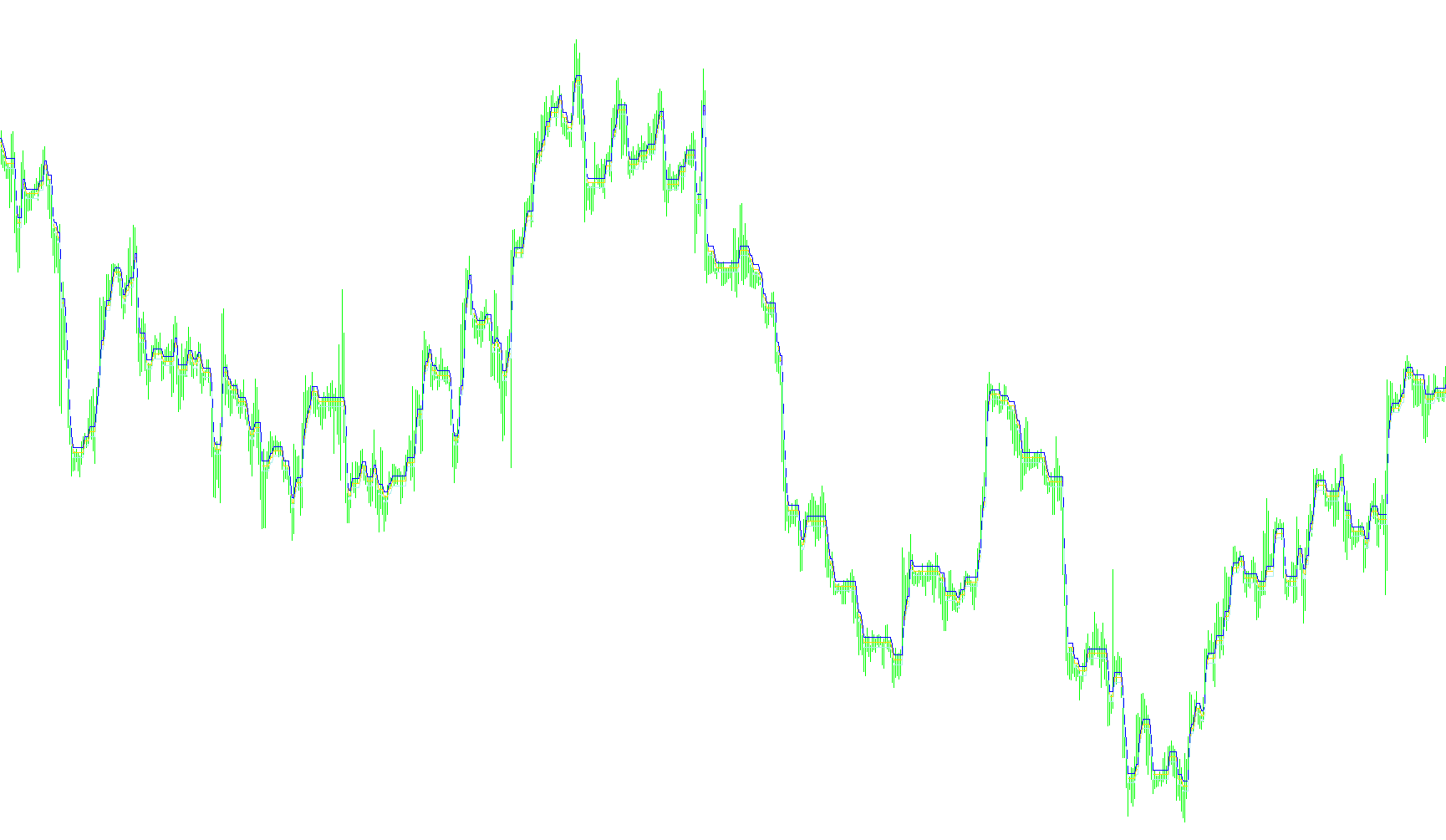
The DynamicRS+Channel is a visual market analysis tool designed to help traders identify significant price boundaries and trend shifts by tracking the "outer edges" of price movement. Instead of simply following every minor fluctuation, this script focuses on structural extremes to create a dynamic corridor on your trading chart.
How the Logic Works
The core purpose of this script is to map out a moving boundary that adjusts only when the market makes a significant move in either direction. Here is a breakdown of how it processes information:
1. Identifying Structural Peaks andαι Lows The script constantly monitors the high and low prices of each new candle. It looks for specific conditions to decide if the current price movement is important enough to "reset" the boundary:
- New Highs: If the current price reaches a new peak that is significantly higher than the previous boundary (based on a user-defined filter), the script recognizes this as a new structural high and moves the boundary upward.
- New Lows: Conversely, if the price drops to a new depth that is significantly lower than the previous boundary, the script recognizes this as a new structural low and moves the boundary downward.
2. Filtering Market Noise One of the key features of this logic is its ability to ignore "noise." By using a Filter setting, the script ensures that small, insignificant price wobbles do not cause the boundary to jump around constantly. The boundary remains steady until the price breaks out by a specific margin, ensuring that the resulting lines represent meaningful trends rather than everyday volatility.
3. Creating the Dynamic Channel Once the primary boundary (the "midline") is established based on the logic above, the script automatically generates two secondary lines:
- An Upper Line: Positioned at a set distance above the primary boundary.
- A Lower Line: Positioned at a set distance below the primary boundary.
Summary for the Trader
The result is a three-line channel that visually "wraps" around the price action. Because the lines only move when significant structural highs or lows are formed, the channel acts as a visual guide for the current market territory. It allows you to see where the price has historically reacted and provides a clear visual representation of the "room" in which the current price is moving.
//+------------------------------------------------------------------+
//|                                            DynamicRS+Channel.mq4 |
//|                                 Copyright © 2007, Nick A. Zhilin |
//|                                                  rebus58@mail.ru |
//+------------------------------------------------------------------+
#property copyright "Copyright © 2007, Nick A. Zhilin"
#property link      "rebus58@mail.ru"

extern int Filter=15;

#property indicator_chart_window
#property indicator_buffers 3
#property indicator_color1 Yellow
#property indicator_color2 Red
#property indicator_color3 Aqua

//---- buffers
double ExtMapBuffer1[];
double ExtMapBuffer2[];
double ExtMapBuffer3[];

//+------------------------------------------------------------------+
//| Custom indicator initialization function                         |
//+------------------------------------------------------------------+
int init()
  {
   IndicatorShortName("DynamicRS+Channel");
//---- indicators
   SetIndexStyle(0,DRAW_LINE);
   SetIndexBuffer(0,ExtMapBuffer1);
   SetIndexStyle(1,DRAW_LINE);
   SetIndexBuffer(1,ExtMapBuffer2);
   SetIndexStyle(2,DRAW_LINE);
   SetIndexBuffer(2,ExtMapBuffer3);
//----
   return(0);
  }
//+------------------------------------------------------------------+
//| DynamicRS+Channel                                                |
//+------------------------------------------------------------------+
int start()
  {
   int i,counted_bars=IndicatorCounted();
   double Channel;

//----
   i=Bars-counted_bars-1;
   while(i>=0)
     {
      if(High[i]<High[i+1] && High[i]<ExtMapBuffer1[i+1]-Filter*Point)
          ExtMapBuffer1[i]=High[i];
      else if(Low[i]>Low[i+1] && Low[i]>ExtMapBuffer1[i+1]+Filter*Point)
          ExtMapBuffer1[i]=Low[i];
      else
          ExtMapBuffer1[i]=ExtMapBuffer1[i+1];

      ExtMapBuffer2[i]=ExtMapBuffer1[i]+Filter*Point;
      ExtMapBuffer3[i]=ExtMapBuffer1[i]-Filter*Point;

      i--;
     }


//----
   return(0);
  }
//+------------------------------------------------------------------+
Comments