DailyChange_Rev1
Download script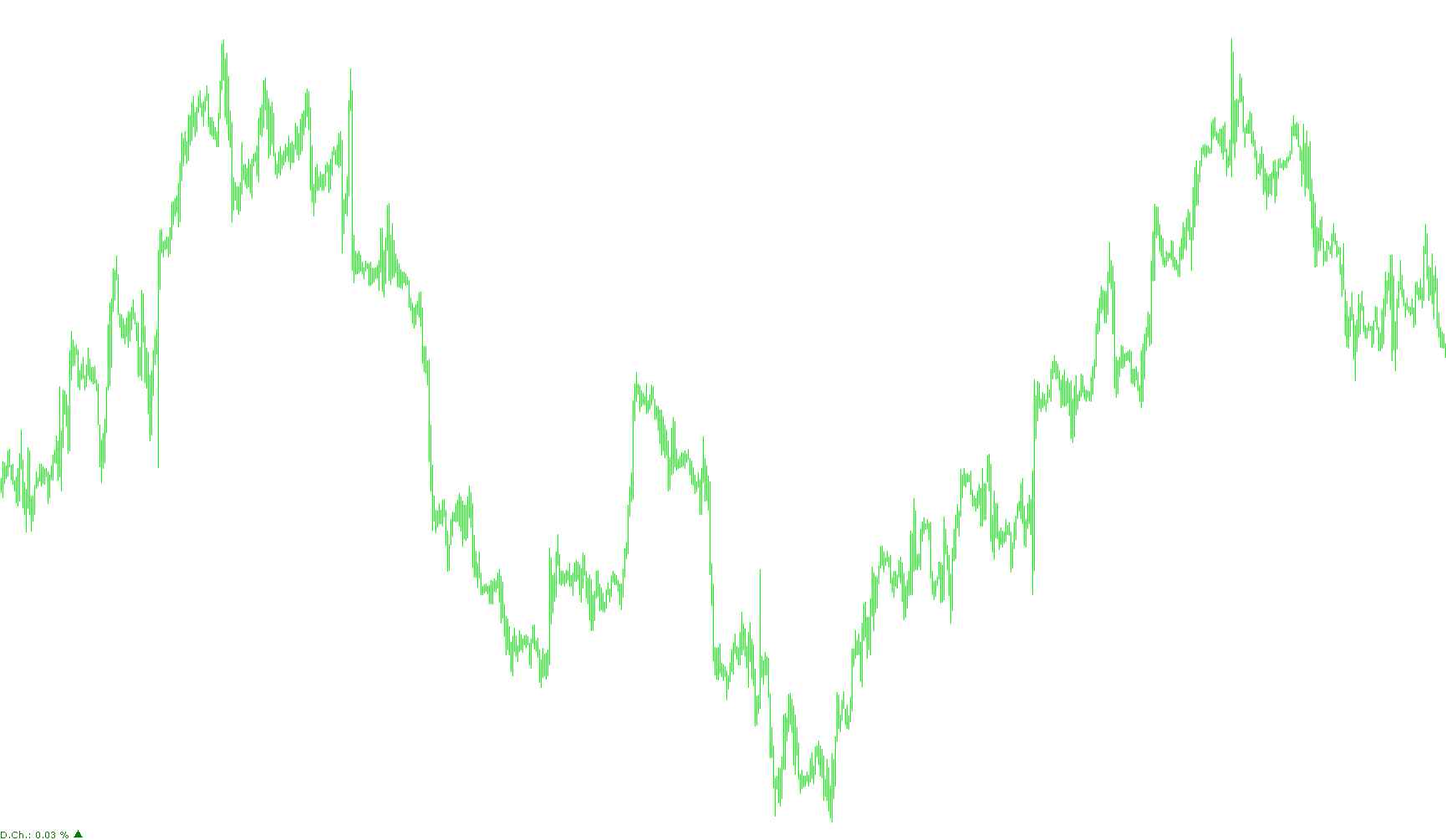
The Daily Change Indicator is a visual tool designed to provide traders with an instant snapshot of market performance relative to the previous day's closing price. By monitoring these fluctuations, it helps you understand how much the current price has moved since the last trading day ended.
Core Logic and Functionality
The indicator operates using a straightforward three-step calculation:
- Data Retrieval: The script automatically identifies the "Closing Price" from the previous day's completed session. It then compares this fixed historical figure against the "Bid Price"—the current live price at which you can sell an asset—in real-time.
- Percentage Calculation: It determines the difference between these two prices and converts that value into a percentage. This allows you to see the magnitude of the move regardless of how much the actual price has changed in currency units.
- Visual Representation: The results are displayed directly on your trading chart rather than in a separate window. The indicator provides two main visual cues:
- Numerical Data: It displays the exact percentage change rounded to two decimal places.
- Dynamic Visual Cues: It uses color-coded text and arrows to signal market direction. If the price is up, it will display in a designated "Up" color (defaulting to green); if the price is down, it shifts to a "Down" color (defaulting to red). If there is no movement, it remains in a neutral "No Movement" color (defaulting to blue).
Key Features for Users
- Timeframe Independence: You can apply this indicator to any chart timeframe. Whether you are day trading on short-term intervals or swing trading on longer ones, the data will always remain anchored to the daily close.
- Fully Customizable Layout: The tool is designed to be non-intrusive. You can freely adjust the following settings:
- Appearance: Customize the font size, arrow size, and the specific colors used for upward, downward, and neutral movements.
- Positioning: You have complete control over where the information appears on your screen. You can choose which corner of the chart to anchor the text and arrows to (Top Left, Top Right, Bottom Left, or Bottom Right) and set the exact pixel distance from those corners to ensure it doesn't overlap with other trading tools or price bars.
- Automatic Cleanup: To keep your trading environment clean, the script is programmed to automatically remove its visual elements from the chart as soon as the indicator is detached or removed.
Price Data Components
6
Views
1
Downloads
0
Favorites
DailyChange_Rev1
      /*##############################################################
      #  DAILY CHANGE INDICATOR                                      #
      #                                                              #
      #  This Indicator shows the percentage change between          #
      #  yesterday day close and today actual Price (Bid).           #
      #  It works on any time frame.                                 #
      #                                                              #
      #  Copyright: BLACKHAWK                                        #
      ##############################################################*/

/*
------------------------------------------------------------------------------------------------

Description:

This indicator shows the % Daily Change of yesterday close with respect to actual price (Bid).

It calculates the percentage change between yesterday close price and the actual bid price.

It works on any timeframe.


External Modifications:

You can modify the color and size:

Color:         You can change the color for Up Movement, Down Movement and No Movement
Size:          You can change the text font size and the arrow size

You can modify the position of text and arrow:

X_Position           You can modify X position (distance) from corner
Y_Position           You can modify Y position (distance) from corner
Corner_Position      You can select the corner position (0: Top Left / 1: Top Right / 2: Bottom Left / 3: Bottom Right)

------------------------------------------------------------------------------------------------
*/


#property indicator_chart_window

//----------------------------------------------------
extern int     Font_Size               = 8;
extern int     Arrow_Size              = 10;
extern color   Up_Color                = Green;
extern color   Down_Color              = Red;
extern color   No_Mvt_Color            = Blue;

extern int     X_Position_Text         = 3;
extern int     Y_Position_Text         = 3;
extern int     Corner_Position_Text    = 2;

extern int     X_Position_Arrow        = 3;
extern int     Y_Position_Arrow        = 90;
extern int     Corner_Position_Arrow   = 2;
// ---------------------------------------------------

#define OBJECT    "DailyChange"
#define OBJECT1   "ArrowChange"


int start()

   {

   double ClPrice_D1    = iClose(NULL, PERIOD_D1, 1);
   double ActualBid     = Bid;
   double PercChange    = ((ActualBid - ClPrice_D1)/ClPrice_D1)*100;

   string ArrowUp       =  "p";  // 112 Up arrow code
   string ArrowDn       =  "q";  // 113 Down arrow code
   string Arrow0        =  "";
   string Arrow;
   color  Obj_Color;

   string PerChg = "D.Ch.: "+DoubleToStr(PercChange, 2) + " %";

   if(PercChange > 0)   {Arrow = ArrowUp; Obj_Color = Up_Color;}
   if(PercChange < 0)   {Arrow = ArrowDn; Obj_Color = Down_Color;}
   if(PercChange == 0)  {Arrow = Arrow0; Obj_Color = No_Mvt_Color;}


   string ArrowChg = Arrow;

   if(ObjectFind(OBJECT) < 0)

      {
      ObjectCreate   (OBJECT, OBJ_LABEL, 0, 0, 0);
      ObjectSet      (OBJECT, OBJPROP_CORNER, Corner_Position_Text);
      ObjectSet      (OBJECT, OBJPROP_YDISTANCE, X_Position_Text);
      ObjectSet      (OBJECT, OBJPROP_XDISTANCE, Y_Position_Text);
      ObjectSetText  (OBJECT, PerChg, Font_Size, "Verdana", Obj_Color);
      }

   ObjectSetText(OBJECT, PerChg, Font_Size, "Verdana", Obj_Color);

  if(ObjectFind(OBJECT1) < 0)

      {
      ObjectCreate   (OBJECT1, OBJ_LABEL, 0, 0, 0);
      ObjectSet      (OBJECT1, OBJPROP_CORNER, Corner_Position_Arrow);
      ObjectSet      (OBJECT1, OBJPROP_YDISTANCE, X_Position_Arrow);
      ObjectSet      (OBJECT1, OBJPROP_XDISTANCE, Y_Position_Arrow);
      ObjectSetText  (OBJECT1, ArrowChg, Arrow_Size, "Wingdings 3", Obj_Color);
      }

   ObjectSetText(OBJECT1, ArrowChg, Arrow_Size, "Wingdings 3", Obj_Color);

   WindowRedraw();


}

//--- INIT AND DEINIT ------------------------------------- //

int init()
{

}


int deinit()
{
   ObjectDelete(OBJECT);
   ObjectDelete(OBJECT1);
}
Comments