speed_ind
Download script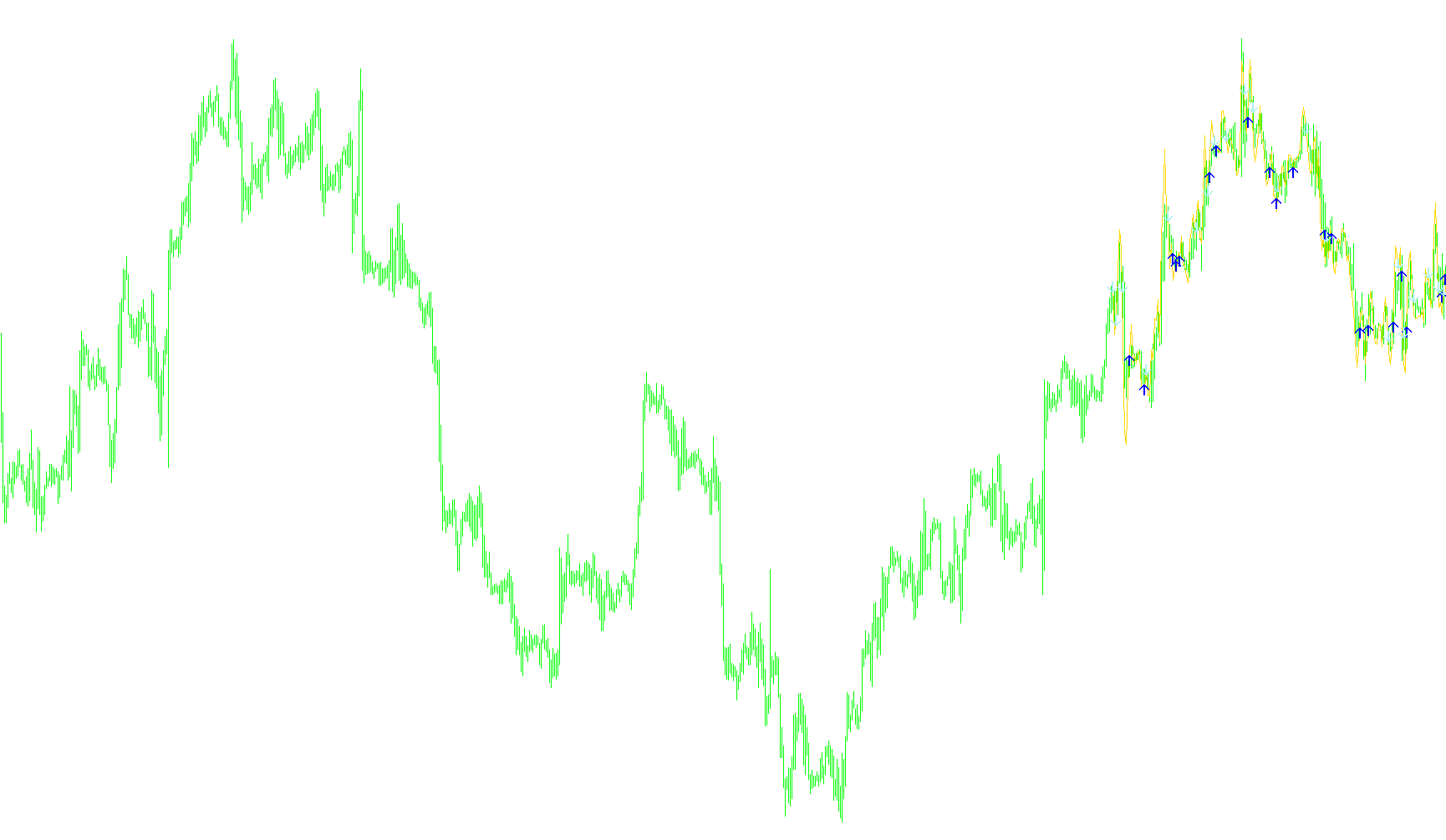
This tool is designed to analyze market momentum by measuring the "speed" and direction of price movements on your trading chart. Rather than looking at standard price action in isolation, it focuses on the relationship between current prices and historical data to identify specific shifts in trend intensity.
Core Functionality
1. Velocity Measurement The script calculates a proprietary "Speed" value. It does this by comparing the closing price of a candle against the opening price of a previous period (determined by a user-defined shift). By identifying how much the price has moved over this specific interval, the tool creates a baseline for the current market momentum.
2. Trend Filtering and Thresholds The logic uses two primary sensitivity settings to filter out market "noise":
- Speed: This acts as a primary threshold to determine if a price movement is significant enough to be considered a meaningful trend.
- Back Speed: This serves as a secondary confirmation, ensuring that the momentum is consistent and not just a momentary spike.
The script constantly evaluates these values to ensure that only movements exceeding your chosen intensity levels are highlighted.
3. Signal Generation Logic The indicator looks for specific "reversal" or "breakout" patterns by examining a sequence of three candles. It triggers visual signals (arrows) based on the following criteria:
- Upside Signals: The tool detects an upward shift when the price moves from a negative state to a positive state, provided that the calculated momentum (Speed) exceeds your predefined limits.
- Downside Signals: Conversely, it identifies downward shifts when the price moves from a positive state to a negative state, again confirming that the momentum meets your intensity requirements.
Visual Output
The script provides three distinct visual layers on your chart:
- A Momentum Line: A continuous line that tracks the calculated "speed" of the market, allowing you to see the underlying flow of the trend.
- Upward Arrows: These appear when the price meets the specific criteria for an accelerating bullish move.
- Downward Arrows: These appear when the price meets the specific criteria for an accelerating bearish move.
By combining these elements, the tool helps traders identify moments where the market is moving with enough velocity to potentially confirm a trend change or continuation.
//+------------------------------------------------------------------+
//|                                                  Speed by Maloma |
//+------------------------------------------------------------------+

#property indicator_chart_window
//#property indicator_separate_window
#property indicator_buffers 3
#property indicator_color1 Magenta
#property indicator_color2 Aqua
#property indicator_color3 Red
//---- input parameters
extern int     Shift     =  002;
extern int     DrawBars  =  200;
extern int     Speed     =  30;
extern int     BackSpeed =  10;
//---- buffers
double Speed_Buffer[];
double Speed_Buffer_Sig_Up[];
double Speed_Buffer_Sig_Dn[];
//----
int a_begin;
//+------------------------------------------------------------------+
//| Custom indicator initialization function                         |
//+------------------------------------------------------------------+
int init()
  {
//----
   SetIndexStyle(0,DRAW_LINE);
   SetIndexBuffer(0,Speed_Buffer);
   SetIndexDrawBegin(0,Bars-DrawBars);
   SetIndexShift(0,0);
   SetIndexLabel(0,"Maloma speed");
//----
   SetIndexStyle(1,DRAW_ARROW);
   SetIndexArrow(1, 225);
   SetIndexBuffer(1,Speed_Buffer_Sig_Up);
   SetIndexDrawBegin(1,Bars-DrawBars);
   SetIndexShift(1,0);
   SetIndexLabel(1,"Maloma signal Up");
//----
   SetIndexStyle(2,DRAW_ARROW);
   SetIndexArrow(2, 226);
   SetIndexBuffer(2,Speed_Buffer_Sig_Dn);
   SetIndexDrawBegin(2,Bars-DrawBars);
   SetIndexShift(2,0);
   SetIndexLabel(2,"Maloma signal Down");
//----
   return(0);
  }
//+------------------------------------------------------------------+
//| Body                                                             |
//+------------------------------------------------------------------+
int start()
  {
   int    i;
   double BCL, OCL, CL, RSpeed=Speed, RBSpeed=BackSpeed;
   int limit, PDir;

     int counted_bars=IndicatorCounted();
  //---- check for possible errors
     if(counted_bars<0) return(-1);
  //---- last counted bar will be recounted
     if(counted_bars>0) counted_bars--;
     limit=Bars-counted_bars-1;
  //---- main loop
     for(i=1;i<=Digits;i++)
       {RSpeed=RSpeed/10;
        RBSpeed=RBSpeed/10;}
     for(i=0; i<limit; i++)
       {
        CL=((Close[i]-Open[Shift+i])/Shift);
        {Speed_Buffer[i]=Close[i]+CL;}
       }
     for(i=0; i<limit; i++)
       {
        CL=(Speed_Buffer[i]-Close[i]);
        OCL=(Speed_Buffer[i+2]-Close[i+2]);
        BCL=(Speed_Buffer[i+1]-Close[i+1]);
        if (((Open[i+2]-Close[i+2])>0) && ((Open[i+1]-Close[i+1])<0) && (MathAbs(OCL)>=RSpeed) && (MathAbs(BCL)>=RBSpeed))
          {Speed_Buffer_Sig_Up[i]=Open[i]+CL-10*Point;}
        if (((Open[i+2]-Close[i+2])<0) && ((Open[i+1]-Close[i+1])>0) && (MathAbs(OCL)>=RSpeed) && (MathAbs(BCL)>=RBSpeed))
          {Speed_Buffer_Sig_Dn[i]=Open[i]+CL+10*Point;}

/*
        CL=(Speed_Buffer[i]-Close[i]);
        OCL=(Speed_Buffer[i+2]-Close[i+2]);
        BCL=MathAbs(Speed_Buffer[i+1]-Close[i+1]);
        if (Open[i+1]>Close[i+1]) {PDir=-1;}
        if (Open[i+1]<Close[i+1]) {PDir=1;}
        if (Open[i+1]==Close[i+1]) {PDir=0;}
        Speed_Buffer_Sig_Up[i]=0;
        Speed_Buffer_Sig_Dn[i]=0;
        if (((OCL)<=-RSpeed) && (PDir==1) && (BCL>=RBSpeed))
          {
           Speed_Buffer_Sig_Up[i]=Open[i]+CL-10*Point;
          }
        if (((OCL)>=RSpeed) && (PDir==-1) && (BCL>=RBSpeed))
          {
           Speed_Buffer_Sig_Dn[i]=Open[i]+CL+10*Point;
          }
        Comment ("Current speed=",CL," -2Speed=",OCL," -1Speed=",BCL," PDir=",PDir," ?Signal=",(((OCL)<=-RSpeed) && (PDir==1) && (BCL>=RBSpeed)));
*/
       }
  //---- done

}
Comments