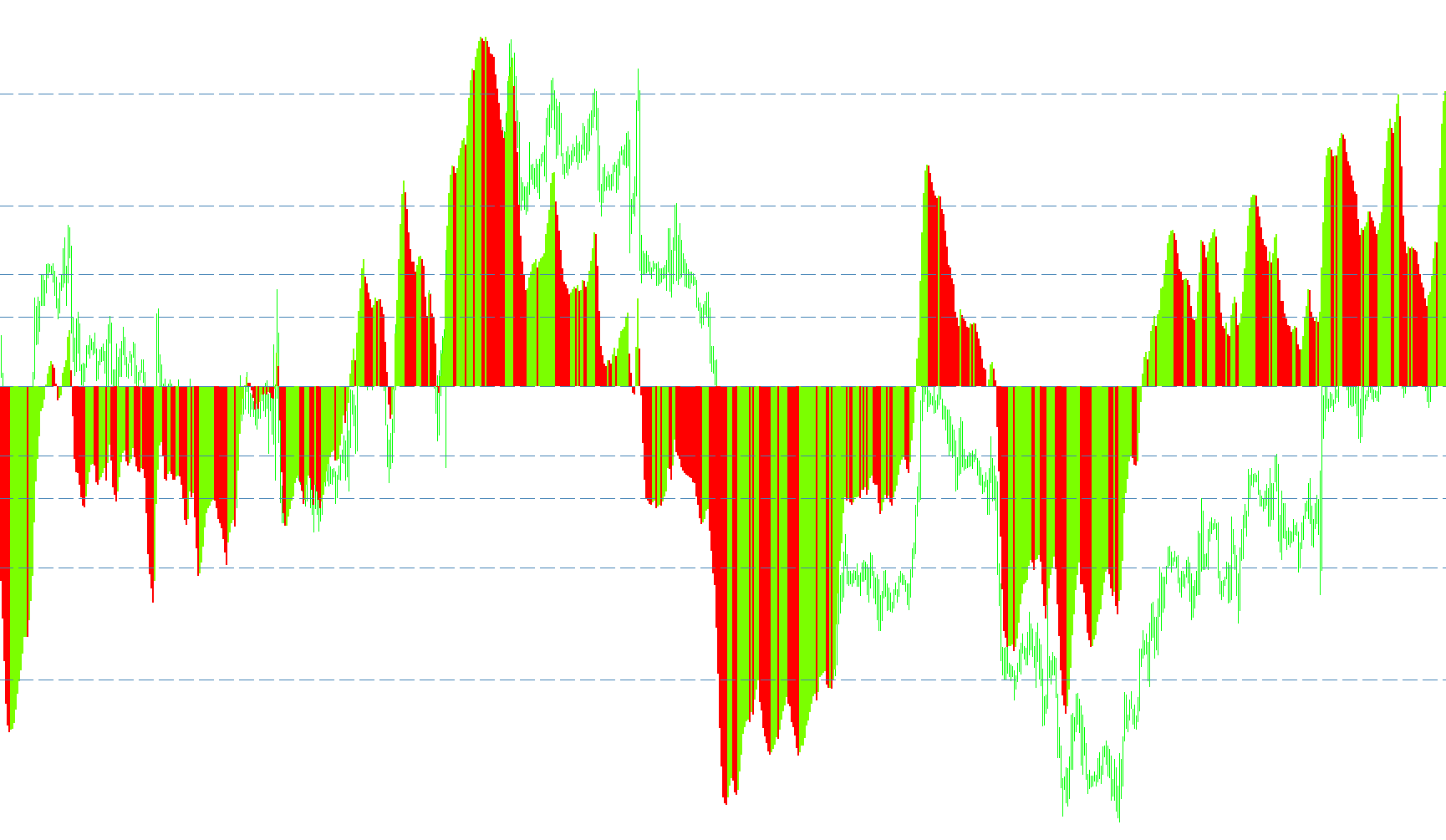
Here's a breakdown of what the MQL4 script does, explained in a way that's easy to understand for someone who isn't a programmer.
Overall Purpose:
This script is designed to create a custom indicator for the MetaTrader platform. Think of it like adding a special tool to your charting software that helps you visualize potential trading opportunities. This particular tool is called "KhaosAssault" and it displays differences of two moving averages as a histogram.
Key Components and What They Do:
-
Input Parameters (Settings You Control):
FastMovingMAType: This lets you choose which type of "fast" moving average is used. Moving averages smooth out price data over a period of time. The 'fast' one reacts quickly to price changes. Possible types are:- SMA (Simple Moving Average)
- EMA (Exponential Moving Average)
- SMMA (Smoothed Moving Average)
- LWMA (Linear Weighted Moving Average)
FastMovingMAPeriod: This sets the "lookback period" for the fast moving average. It determines how many past price points are used to calculate the average. A smaller number means the average reacts more quickly to recent price changes.SlowMovingMAType: Similar toFastMovingMAType, but for a "slow" moving average. The 'slow' one reacts slowly to price changes. Again, you can choose from SMA, EMA, SMMA, or LWMA.SlowMovingMAPeriod: Sets the lookback period for the slow moving average. A larger number makes it smoother and less reactive.
-
Moving Average Calculation:
- The script calculates two moving averages of the price using the settings you've chosen: one fast and one slow.
- It then finds the difference between these two moving averages. This difference is the core data that the indicator will display.
-
Visual Representation (The Histogram):
- The script displays the difference between the moving averages as a histogram in a separate window below the main price chart.
- The histogram bars are colored either green or red. Green bars indicate that the fast moving average is above the slow moving average (potentially signaling an upward trend). Red bars indicate the fast moving average is below the slow moving average (potentially signaling a downward trend).
- The height of the bars represents the magnitude of the difference between the two moving averages.
-
Level Lines:
- The script adds horizontal lines at specific levels on the indicator window. The values of these lines depend on the currency pair. If the pair contains "JPY", the values are smaller. These lines can be used as reference points to help identify potential overbought or oversold conditions, or areas where the price difference might find support or resistance.
In Simple Terms:
Imagine you have two runners on a track, one fast and one slow. This script tracks the distance between them. If the fast runner is ahead, you see a green bar. If the slow runner is ahead, you see a red bar. The further apart they are, the taller the bar. The lines help you judge how unusual the distance between the runners is.
This script essentially uses the relationship between a faster-reacting and a slower-reacting average of the price to give you a visual clue about the direction and strength of a trend. The level lines provide additional context.
/*-----------------------------+
|			       |
| Shared by www.Aptrafx.com    |
|			       |
+------------------------------*/

//+------------------------------------------------------------------+
//|                                                 KhaosAssault.mq4 |
//|                                                         SGalaise |
//|                                                                  |
//+------------------------------------------------------------------+
#property copyright "Sgalaise"

#property indicator_separate_window
#property indicator_buffers 3
#property  indicator_color1  Black
#property  indicator_color2  LawnGreen
#property  indicator_color3  Red

//---- input parameters
extern int       FastMovingMAType=3;
extern int       FastMovingMAPeriod=5;
extern int       SlowMovingMAType=1;
extern int       SlowMovingMAPeriod=120;

//---- buffers
double CAOBuffer0[];
double CAOBuffer1[];
double CAOBuffer2[];

string SlowMA = "";
string FastMA = "";

double prev,current;
//+------------------------------------------------------------------+
//| Custom indicator initialization function                         |
//+------------------------------------------------------------------+
int init()
  {
   //IndicatorBuffers(3);

   switch(FastMovingMAType)
   {
      case 0: FastMA = "SMA"; break;
      case 1: FastMA = "EMA"; break;
      case 2: FastMA = "SMMA"; break;
      case 3: FastMA = "LWMA"; break;
   }

   switch(SlowMovingMAType)
   {
      case 0: SlowMA = "SMA"; break;
      case 1: SlowMA = "EMA"; break;
      case 2: SlowMA = "SMMA"; break;
      case 3: SlowMA = "LWMA"; break;
   }
//   IndicatorBuffers(3);

//---- indicators
   SetIndexStyle(0,DRAW_NONE);
   SetIndexStyle(1,DRAW_HISTOGRAM,0,3,LawnGreen);
   SetIndexStyle(2,DRAW_HISTOGRAM,0,3,Red);
   IndicatorDigits(Digits+1);
   SetIndexDrawBegin(0,SlowMovingMAPeriod);
   SetIndexDrawBegin(1,SlowMovingMAPeriod);
   SetIndexDrawBegin(2,SlowMovingMAPeriod);

   SetIndexBuffer(0,CAOBuffer0);
   SetIndexBuffer(1,CAOBuffer1);
   SetIndexBuffer(2,CAOBuffer2);

//----
   IndicatorShortName("KhaosAssault ("+FastMA+":"+FastMovingMAPeriod+", "+SlowMA+":"+SlowMovingMAPeriod+")");
   int findsymbol = StringFind(Symbol(),"JPY",0);
   //Alert(findsymbol);
   if(findsymbol<0)
   {
      SetLevelStyle(1,1,SteelBlue);
      SetLevelValue(1,0.0089);
      SetLevelValue(2,0.0055);
      SetLevelValue(3,0.0034);
      SetLevelValue(4,0.0021);
      SetLevelValue(5,0.0013);
      SetLevelValue(6,-0.0013);
      SetLevelValue(7,-0.0021);
      SetLevelValue(8,-0.0034);
      SetLevelValue(9,-0.0055);
      SetLevelValue(10,-0.0089);
   }
   else
   {
      SetLevelStyle(1,1,SteelBlue);
      SetLevelValue(1,0.89);
      SetLevelValue(2,0.55);
      SetLevelValue(3,0.34);
      SetLevelValue(4,0.21);
      SetLevelValue(5,0.13);
      SetLevelValue(6,-0.13);
      SetLevelValue(7,-0.21);
      SetLevelValue(8,-0.34);
      SetLevelValue(9,-0.55);
      SetLevelValue(10,-0.89);
   }

   return(0);
  }

//+------------------------------------------------------------------+
//| Custom indicator iteration function                              |
//+------------------------------------------------------------------+
int start()
  {
   int    limit;
   int    counted_bars=IndicatorCounted();

//---- last counted bar will be recounted
   if(counted_bars>0) counted_bars--;
   limit=Bars-counted_bars;
//---- macd
   for(int i=0; i<limit; i++)
      CAOBuffer0[i]=iMA(NULL,0,FastMovingMAPeriod,0,FastMovingMAType,PRICE_CLOSE,i)-iMA(NULL,0,SlowMovingMAPeriod,0,SlowMovingMAType,PRICE_CLOSE,i);

//---- dispatch values between 2 buffers
   bool up=true;
   for(i=limit-1; i>=0; i--)
     {
      current=CAOBuffer0[i];
      prev=CAOBuffer0[i+1];
      if(current>prev) up=true;
      if(current<prev) up=false;
      if(!up)
        {
         CAOBuffer2[i]=current;
         CAOBuffer1[i]=0.0;
        }
      else
        {
         CAOBuffer1[i]=current;
         CAOBuffer2[i]=0.0;
        }
     }

   return(0);
  }
//+------------------------------------------------------------------+
Comments