DoublecciWoody
Download script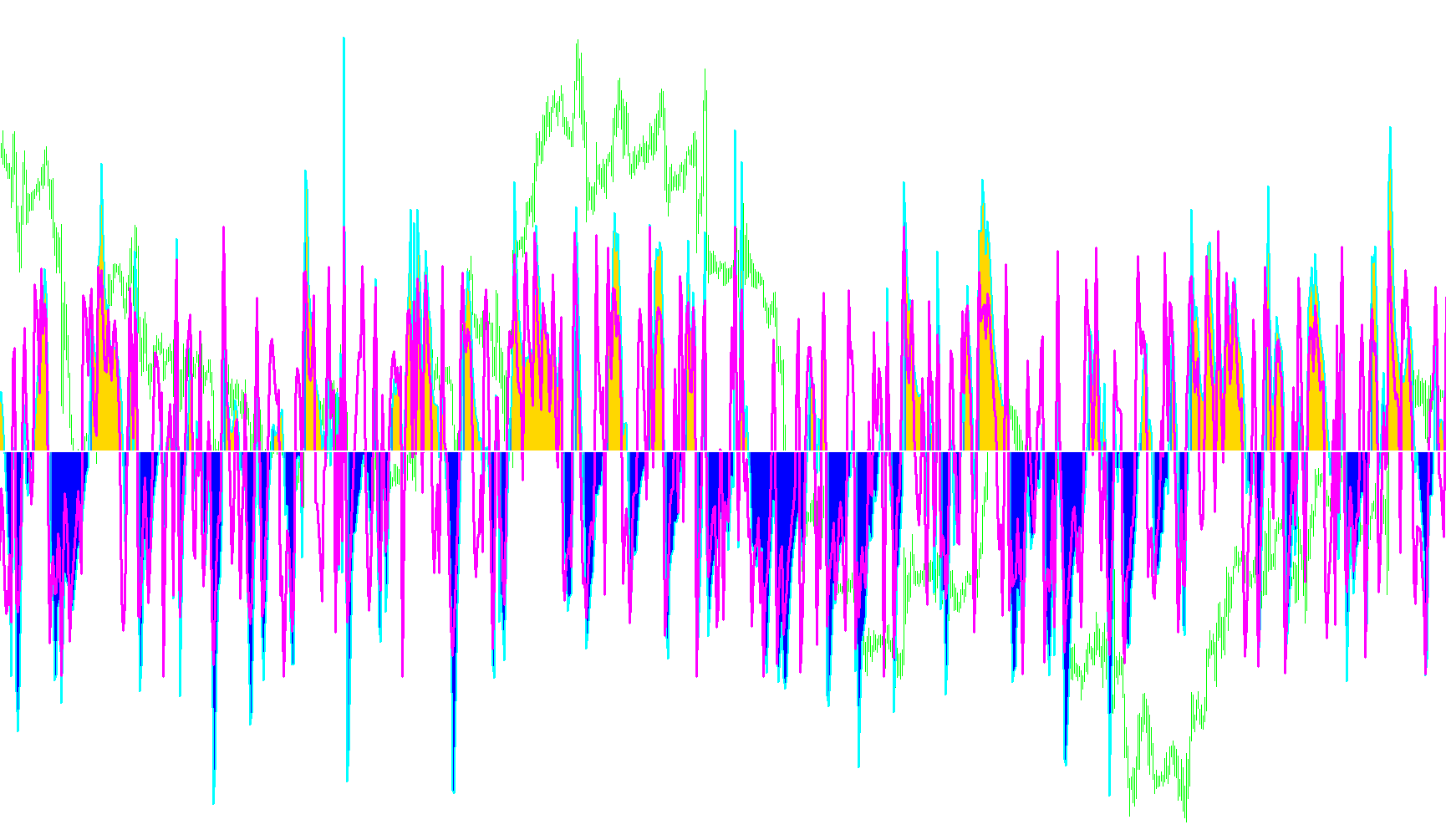
The DoublecciWoody tool is a technical analysis indicator designed to help traders visualize and identify market trends by analyzing momentum. It operates by processing two different types of "Commodity Channel Index" (CCI) calculations simultaneously to distinguish between long-term market direction and short-term price action.
Core Logic Overview
The script functions by layering two distinct layers of data:
- Trend CCI: This tracks the broader market momentum over a longer period. It acts as the "big picture" filter, helping to determine if the overall market is moving up or down.
- Entry CCI: This tracks faster, more immediate price movements. It is intended to capture quick shifts in momentum that might signal a potential entry point.
How the Analysis Works
The indicator monitors how these two values interact with the "Zero Line" (the baseline of the chart):
- Trend Confirmation: The script tracks how many consecutive bars the Trend CCI remains above or below zero. It uses a specific "buffer" period to ensure that a trend is stable before it officially labels it as an active move.
- Visual Differentiation:
- It identifies periods where the market is transitioning (moving toward a trend).
- It highlights confirmed upward trends and downward trends separately using different visual styles (histograms and lines).
- By separating these, it helps the user see whether the current price movement is part of an established trend or just a temporary fluctuation.
Alerts and Notifications
One of the primary functional features of this script is its automated alert system. The logic is programmed to watch for "Confluence"—when both the long-term trend and the short-term entry signals align at the same time.
- Bullish Alert: If both the Trend CCI and the Entry CCI cross from below to above the zero line simultaneously, the script can trigger a notification indicating that both indicators agree on an upward move.
- Bearish Alert: Conversely, if both indicators cross from above to below the zero line at the same time, it triggers a notification for a downward move.
Summary for the User
Essentially, this tool filters out "market noise" by requiring two different types of momentum calculations to agree with one another. Instead of reacting to every small price wiggle, it focuses on moments where the broad trend and the immediate price action are moving in the same direction, providing a clearer visual map of market sentiment.
//+------------------------------------------------------------------+
//|                                               DoublecciWoody.mq4 |
//|
//+------------------------------------------------------------------+
#property copyright " DoublecciWoody."
#property link      "DoublecciWoody"

#property indicator_separate_window
#property indicator_buffers 7
#property indicator_color1 MediumSeaGreen   //Green
#property indicator_color2 Red   //SaddleBrown
#property indicator_color3 DarkGray
#property indicator_color4 Gold
#property indicator_color5 DarkKhaki //White
#property indicator_color6 White  //Magenta
#property indicator_color7 DarkKhaki  //Gold  <<<<<<<<<<<<<<<<<<<<<<<<<<
#property indicator_level1 350
#property indicator_level2 250
#property indicator_level3 100
#property indicator_level4 0
#property indicator_level5 -100
#property indicator_level6 -250
#property indicator_level7 -350
//#property indicator_level8 -50

//---- input parameters
extern int TrendCCI_Period = 14;//14
extern int EntryCCI_Period = 6;//6
extern int Trend_period = 2;//6
extern int  CountBars=1000;
extern bool Zero_Cross_Alert;

extern int   LineSize1=2;
extern int   LineSize2=3;
extern int   LineSize3=2;//1

double TrendCCI[];
double EntryCCI[];
double CCITrendUp[];
double CCITrendDown[];
double CCINoTrend[];
double CCITimeBar[];
double ZeroLine[];

int trendUp, trendDown;

//+------------------------------------------------------------------+
//| Custom indicator initialization function                         |
//+------------------------------------------------------------------+
int init()  {
//---- indicators
   SetIndexStyle(4, DRAW_LINE, STYLE_SOLID,LineSize1);
   SetIndexBuffer(4, TrendCCI);
   SetIndexLabel(4, "TrendCCI");
   SetIndexStyle(0, DRAW_HISTOGRAM, 0,LineSize1);//2
   SetIndexBuffer(0, CCITrendUp);
   SetIndexStyle(1, DRAW_HISTOGRAM, 0,LineSize1);//2
   SetIndexBuffer(1, CCITrendDown);
   SetIndexStyle(2, DRAW_HISTOGRAM, 0,LineSize2);
   SetIndexBuffer(2, CCINoTrend);
   SetIndexStyle(3, DRAW_HISTOGRAM, 0,LineSize2);
   SetIndexBuffer(3, CCITimeBar);
   SetIndexStyle(5, DRAW_LINE, STYLE_SOLID,LineSize2);// 1 <<<<<<<<<<<<<<<<<<<<<<<<<<<
   SetIndexBuffer(5, EntryCCI);
   SetIndexLabel(5, "EntryCCI");
   SetIndexStyle(6, DRAW_LINE, STYLE_SOLID,LineSize3);
   SetIndexBuffer(6, ZeroLine);
//----
   return(0);
  }
//+------------------------------------------------------------------+
//| Custor indicator deinitialization function                       |
//+------------------------------------------------------------------+
int deinit()
  {
//----

//----
   return(0);
  }
//+------------------------------------------------------------------+
//| Custom indicator iteration function                              |
//+------------------------------------------------------------------+
int start() {

   int limit, i, trendCCI, entryCCI;
   int counted_bars = IndicatorCounted();
   static datetime prevtime = 0;
//---- check for possible errors
   if(counted_bars < 0) return(-1);
//---- last counted bar will be recounted
   if(counted_bars > 0) counted_bars--;

   limit=Bars;//-counted_bars;

     SetIndexDrawBegin(0,Bars-CountBars);
     SetIndexDrawBegin(1,Bars-CountBars);
     SetIndexDrawBegin(2,Bars-CountBars);
     SetIndexDrawBegin(3,Bars-CountBars);
     SetIndexDrawBegin(4,Bars-CountBars);
     SetIndexDrawBegin(5,Bars-CountBars);
     SetIndexDrawBegin(6,Bars-CountBars);


      trendCCI = TrendCCI_Period;
      entryCCI = EntryCCI_Period;

      IndicatorShortName("(TrendCCI: " + trendCCI + ", EntryCCI: " + entryCCI + ") ");

   for(i = limit; i >= 0; i--) {
      CCINoTrend[i] = 0;
      CCITrendDown[i] = 0;
      CCITimeBar[i] = 0;
      CCITrendUp[i] = 0;
      ZeroLine[i] = 0;
      TrendCCI[i] = iCCI(NULL, 0, trendCCI, PRICE_TYPICAL, i);
      EntryCCI[i] = iCCI(NULL, 0, entryCCI, PRICE_TYPICAL, i);

      if(TrendCCI[i] > 0 && TrendCCI[i+1] < 0) {
         if (trendDown >  Trend_period) trendUp = 0;
      }
      if (TrendCCI[i] > 0) {
         if (trendUp <  Trend_period){
            CCINoTrend[i] = TrendCCI[i];
            trendUp++;
         }
         if (trendUp ==  Trend_period) {
            CCITimeBar[i] = TrendCCI[i];
            trendUp++;
         }
         if (trendUp >  Trend_period) {
            CCITrendUp[i] = TrendCCI[i];
         }
      }
      if(TrendCCI[i] < 0 && TrendCCI[i+1] > 0) {
         if (trendUp >  Trend_period) trendDown = 0;
      }
      if (TrendCCI[i] < 0) {

         if (trendDown <  Trend_period){
            CCINoTrend[i] = TrendCCI[i];
            trendDown++;
         }
         if (trendDown ==  Trend_period) {
            CCITimeBar[i] = TrendCCI[i];
            trendDown++;
         }
         if (trendDown >  Trend_period) {
            CCITrendDown[i] = TrendCCI[i];
         }
      }
   }

   if (Zero_Cross_Alert == true) {
      if (prevtime == Time[0]) {
         return(0);
      }
      else {
         if(EntryCCI[0] < 0) {
            if((TrendCCI[0] < 0) && (TrendCCI[1] >= 0)) {
               Alert(Symbol(), " M", Period(), " Trend & Entry CCI Have both crossed below zero");
            }
         }
         else if(EntryCCI[0] > 0) {
            if((TrendCCI[0] > 0) && (TrendCCI[1] <= 0)) {
               Alert(Symbol(), " M", Period(), " Trend & Entry CCI Have both crossed above zero");
            }
         }
         prevtime = Time[0];
      }
   }
//----

//----
   return(0);
  }
//+------------------------------------------------------------------+
Comments