BearNakedPattern1.2
Download script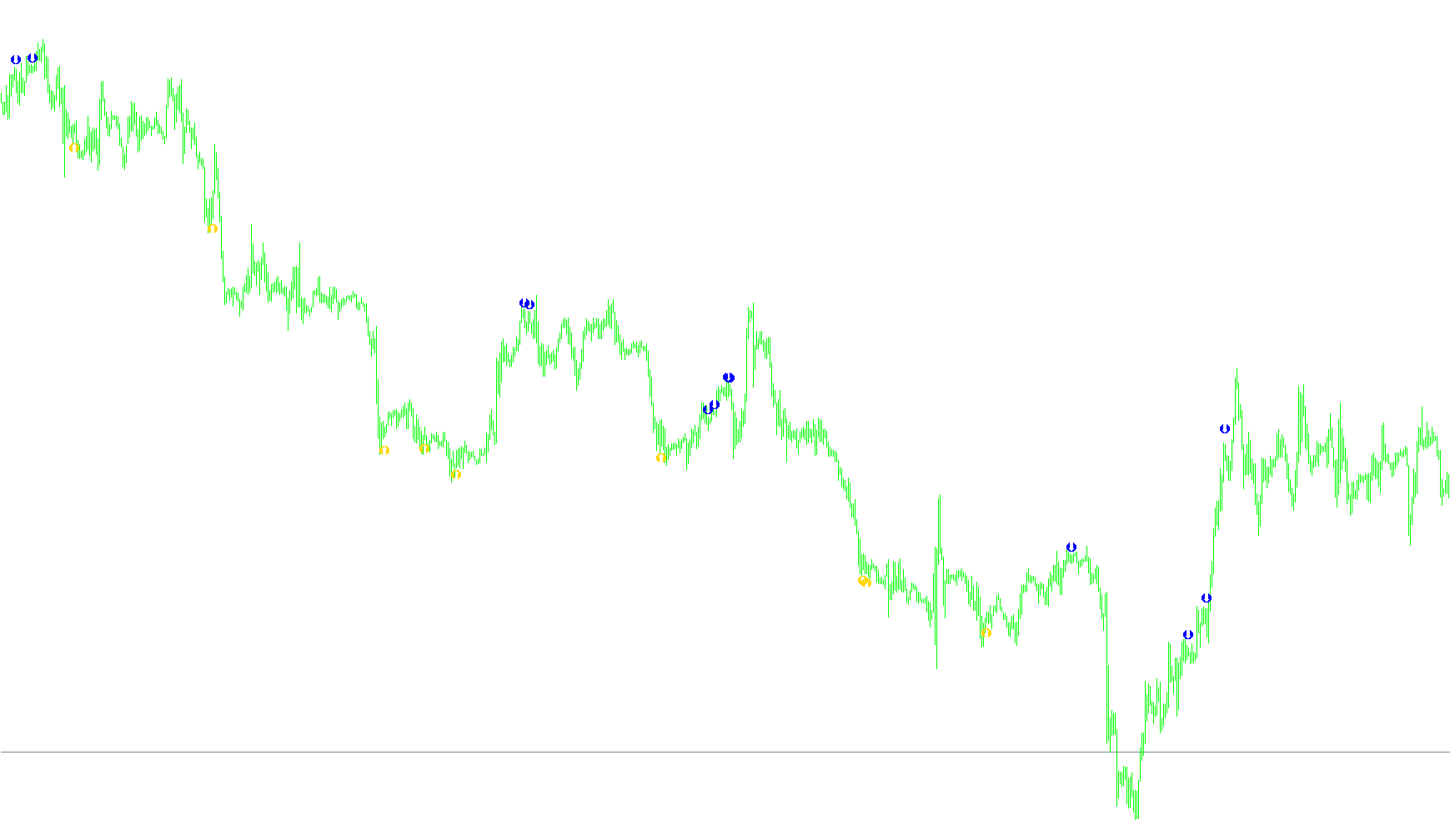
This script is a specialized technical analysis tool designed to identify potential entry points for trades by analyzing price action, momentum, and volatility. It functions by monitoring three primary data sources: the Commodity Channel Index (CCI) for momentum, Moving Averages for trend direction, and Bollinger Bands for volatility and price boundaries.
The core logic operates through a series of filters to ensure that signals are only generated when specific market conditions align. Here is how the logic flows:
Core Logic Components
1. Momentum and Trend Detection The script first evaluates the momentum of the market using the CCI. It looks for "overextended" conditions where the price might be reaching an extreme high or low. To confirm these movements, it calculates a Moving Average based specifically on the CCI values, allowing the tool to see if the momentum is starting to shift back toward the center.
2. Price Boundary Analysis The script utilizes Bollinger Bands to define the "normal" trading range. It checks where the current price sits relative to these upper and lower boundaries. By measuring the distance between the current price and these bands, the tool determines if the price is reacting to a boundary or breaking through it.
3. Volatility Filtering To avoid entering trades during erratic market behavior, the script measures the "Range" (the distance between the high and low prices) over a set period. It uses this data to ensure that the price candles are not too large or too volatile at the moment a signal is triggered.
Signal Generation Logic
The tool generates two types of signals: Sell (Bearish) and Buy (Bullish).
- Sell Signals: These appear when momentum is high (exceeding a maximum threshold) but begins to turn downward (crossing below its moving average). For a signal to trigger, the price must be near or slightly piercing the upper Bollinger Band, the current high must be lower than the previous high (showing weakness), and the price fluctuation must stay within a specific, controlled limit.
- Buy Signals: These appear when momentum is low (dropping below a minimum threshold) but begins to turn upward (crossing above its moving average). The tool looks for the price to be near or slightly piercing the lower Bollinger Band, the current low must be higher than the previous low (showing strength), and the fluctuation must again remain within a controlled limit.
Advanced Customization Options
The script includes several specialized logic gates to adapt to different trading styles:
- Bollinger Breakout Mode: Users can toggle a setting that allows the tool to trigger signals even if the price "punches through" or pierces beyond the Bollinger Bands, rather than just staying inside them.
- Setup 2 Logic: This is an alternative mode for identifying signals before the market reaches extreme levels. It looks for specific crossovers where the moving average and momentum indicators align in a particular zone, allowing for earlier entries based on trend confirmation rather than just exhaustion.
By combining these four layers—momentum, trend, volatility, and price boundaries—the script aims to filter out "noise" and highlight high-probability turning points in the market.
//+------------------------------------------------------------------+
//|                                               BearNaked1.1.2.mq4 |
//|                                              Daniel Vieira Costa |
//|                                         seilatrader.blogspot.com |
//+------------------------------------------------------------------+
#property copyright "Daniel Vieira Costa"
#property link      "seilatrader.blogspot.com"
#property link      "danielvc@gmail.com"

#property indicator_chart_window
#property indicator_buffers 2
#property indicator_color1 DarkTurquoise
#property indicator_color2 Red

//--
extern int    CCI_Periodo   = 21;
extern double NivelCCI_MIN  = -80;
extern double NivelCCI_MAX  = 80;
extern int    MM_Periodo    = 14;
extern int    BB_Periodo    = 21;
extern int    BB_Desvio     = 2;
extern double PIP_DesvioMAX = 0.0010;
extern double PIP_Oscilacao = 0.0015;
extern bool   FuraBollinger = false;
extern string CCISetup2Desc = " -- Configurações setup2";
extern bool   CCISetup2     = false;
extern double NivelCCI_MIN_Stp2 = -60;
extern double NivelCCI_MAX_Stp2 = 60;
extern double NivelMM_MIN_Stp2  = 80;
extern double NivelMM_MAX_Stp2  = 80;


//---
double compra[];
double venda[];
//--

//+------------------------------------------------------------------+
//| Custom indicator initialization function                         |
//+------------------------------------------------------------------+
int init()
  {
   SetIndexStyle(0, DRAW_ARROW, EMPTY);
   SetIndexArrow(0, 221);
   SetIndexBuffer(0, compra);
   SetIndexStyle(1, DRAW_ARROW, EMPTY);
   SetIndexArrow(1, 222);
   SetIndexBuffer(1, venda);
   IndicatorShortName ("BearNaked v1.2");

   return(0);
  }
int deinit()
  {
   return(0);
  }

int start()
{
   // indicadores
   double mm, cci, Range, AvgRange;
   double CCI[];
   double MM[];
   double BB_UP[], BB_LOW[];
   int i, barrasContadas, limite, Counter;
   barrasContadas = IndicatorCounted();
   if (barrasContadas < 0)
      return(-1);
   if (barrasContadas > 0)
      barrasContadas--;
   limite = Bars;//-barrasContadas;
   // seto o tamanho das listas
   ArraySetAsSeries(CCI, true);
   ArrayResize(CCI, limite);
   ArrayResize(MM, limite);
   ArrayResize(BB_UP, limite);
   ArrayResize(BB_LOW, limite);
   // load first the CCI values
   for (i=0; i<=limite; i++)
      CCI[i] =iCCI(NULL, 0, CCI_Periodo, PRICE_WEIGHTED, i);
   // load the Moving Average with the values of the CCI
   for (i=0; i<=limite; i++)
      MM[i]    = iMAOnArray(CCI, limite, MM_Periodo, 0, MODE_EMA, i);
   for (i=0; i<=limite; i++)
   {
      Counter  =0;
      Range    =0;
      AvgRange =0;

      for (Counter=i; Counter<=i+9; Counter++)
         AvgRange=AvgRange+MathAbs(High[Counter]-Low[Counter]);
      Range=AvgRange/10;

      BB_UP[i] = iBands(NULL, 0, BB_Periodo, BB_Desvio, 0, PRICE_WEIGHTED, MODE_UPPER, i);
      BB_LOW[i]= iBands(NULL, 0, BB_Periodo, BB_Desvio, 0, PRICE_WEIGHTED, MODE_LOWER, i);
      // primeiro verifica se CCI está acima do nivel máximo (vende)
      if (CCI[i] > NivelCCI_MAX)
      {
         // se o CCI cruzou a MM pra baixo
         if (CCI[i] < MM[i])
            // verifica se o preço está dentro da banda superior
            if (High[i] <= BB_UP[i])
            {
               // verifica se a máxima é menor que a máxima anterior
               // o motivo é para ratificar a confirmação da tendência
               if (High[i] <= High[i+1])
                  // verifica a distância entre a o preço máximo e a banda de bollinger
                  // só se posiciona se a distância for considerável, ou seja, não tão distante
                  if ((BB_UP[i] -  High[i]) <= PIP_DesvioMAX)
                     // só se posiciona se a oscilação não for tão alta
                     if (High[i] - Low[i] <= PIP_Oscilacao)
                        venda[i] = High[i] + Range*0.5;

            }
            else
            // se considerar o furo da banda de bollinger
            if (FuraBollinger == true)
               // se o preço furar a banda de bollinger
               if (High[i] >= BB_UP[i])
                  // se a máxima for menor que a máxima anterior
                  if (High[i] <= High[i+1])
                     // se oscilar menos do que o máximo permitido
                     if (High[i] - Low[i] <= PIP_Oscilacao)
                        venda[i] = High[i] + Range*0.5;
      }
      else
      // verifica se o nivel de CCI está abaixo da mínima (compra)
      if (CCI[i] < NivelCCI_MIN)
      {
         // verifica se o CCI cruzou a MM pra cima
         if (CCI[i] > MM[i])
            // verifica se o preço mínimo está dentro da banda
            if (Low[i] >= BB_LOW[i])
            {
               // verifica se a mínima é maior que a mínima anterior
               // o motivo é para confirmar a tendência de alta
               if (Low[i] >= Low[i+1])
                  // verifica a distância entre a mínima e a banda de bollinger
                  // se posiciona se a distância for considerável
                  if (Low[i] - BB_LOW[i] <= PIP_DesvioMAX)
                     // verifica se o preço não oscilou mais do que PIP_Oscilacao
                     if (High[i] - Low[i] <= PIP_Oscilacao)
                        compra[i] = Low[i]- Range*0.5;
            }
            else
            // se considera valor que ultrapassou a banda de bollinger
            if (FuraBollinger == true)
               // se furou
               if (Low[i] <= BB_LOW[i])
                  // se a mínima for maior que a mínima anterior
                  if (Low[i] >= Low[i+1])
                     // verifica se o preço não oscilou mais do que o Pip máximo permitido
                     if (High[i] - Low[i] <= PIP_Oscilacao)
                        compra[i] = Low[i]- Range*0.5;
      }
      else
      // se quiser considerar o setup2. O setup2 consiste em uma situação na qual o CCI cruzou a
      // Média Movel porém, a MM se encontra acima ou abaixo do nível limite(MAX/MIN)
      if (CCISetup2 == true)
         // se a MM cruzou
         if ((CCI[i] < NivelCCI_MAX) && (CCI[i] > NivelCCI_MAX_Stp2) && (MM[i] > NivelMM_MAX_Stp2))
            if (High[i] <= BB_UP[i])
            {
               // verifica se a máxima é menor que a máxima anterior
               // o motivo é para ratificar a confirmação da tendência
               if (High[i] <= High[i+1])
                  // verifica a distância entre a o preço máximo e a banda de bollinger
                  // só se posiciona se a distância for considerável, ou seja, não tão distante
                  if ((BB_UP[i] -  High[i]) <= PIP_DesvioMAX)
                     // só se posiciona se a oscilação não for tão alta
                     if (High[i] - Low[i] <= PIP_Oscilacao)
                        venda[i] = High[i] + Range*0.5;

            }
            else
            // se considerar o furo da banda de bollinger
            if (FuraBollinger == true)
               // se o preço furar a banda de bollinger
               if (High[i] >= BB_UP[i])
                  // se a máxima for menor que a máxima anterior
                  if (High[i] <= High[i+1])
                     // se oscilar menos do que o máximo permitido
                     if (High[i] - Low[i] <= PIP_Oscilacao)
                        venda[i] = High[i] + Range*0.5;
         else
         if ((CCI[i] > NivelCCI_MIN) && (CCI[i] < NivelCCI_MIN_Stp2) && (MM[i] < NivelMM_MIN_Stp2))
            if (Low[i] >= BB_LOW[i])
            {
               // verifica se a mínima é maior que a mínima anterior
               // o motivo é para confirmar a tendência de alta
               if (Low[i] >= Low[i+1])
                  // verifica a distância entre a mínima e a banda de bollinger
                  // se posiciona se a distância for considerável
                  if (Low[i] - BB_LOW[i] <= PIP_DesvioMAX)
                     // verifica se o preço não oscilou mais do que PIP_Oscilacao
                     if (High[i] - Low[i] <= PIP_Oscilacao)
                        compra[i] = Low[i]- Range*0.5;
            }
            else
            // se considera valor que ultrapassou a banda de bollinger
            if (FuraBollinger == true)
               // se furou
               if (Low[i] <= BB_LOW[i])
                  // se a mínima for maior que a mínima anterior
                  if (Low[i] >= Low[i+1])
                     // verifica se o preço não oscilou mais do que o Pip máximo permitido
                     if (High[i] - Low[i] <= PIP_Oscilacao)
                        compra[i] = Low[i]- Range*0.5;
   }
   return(0);
}
Comments